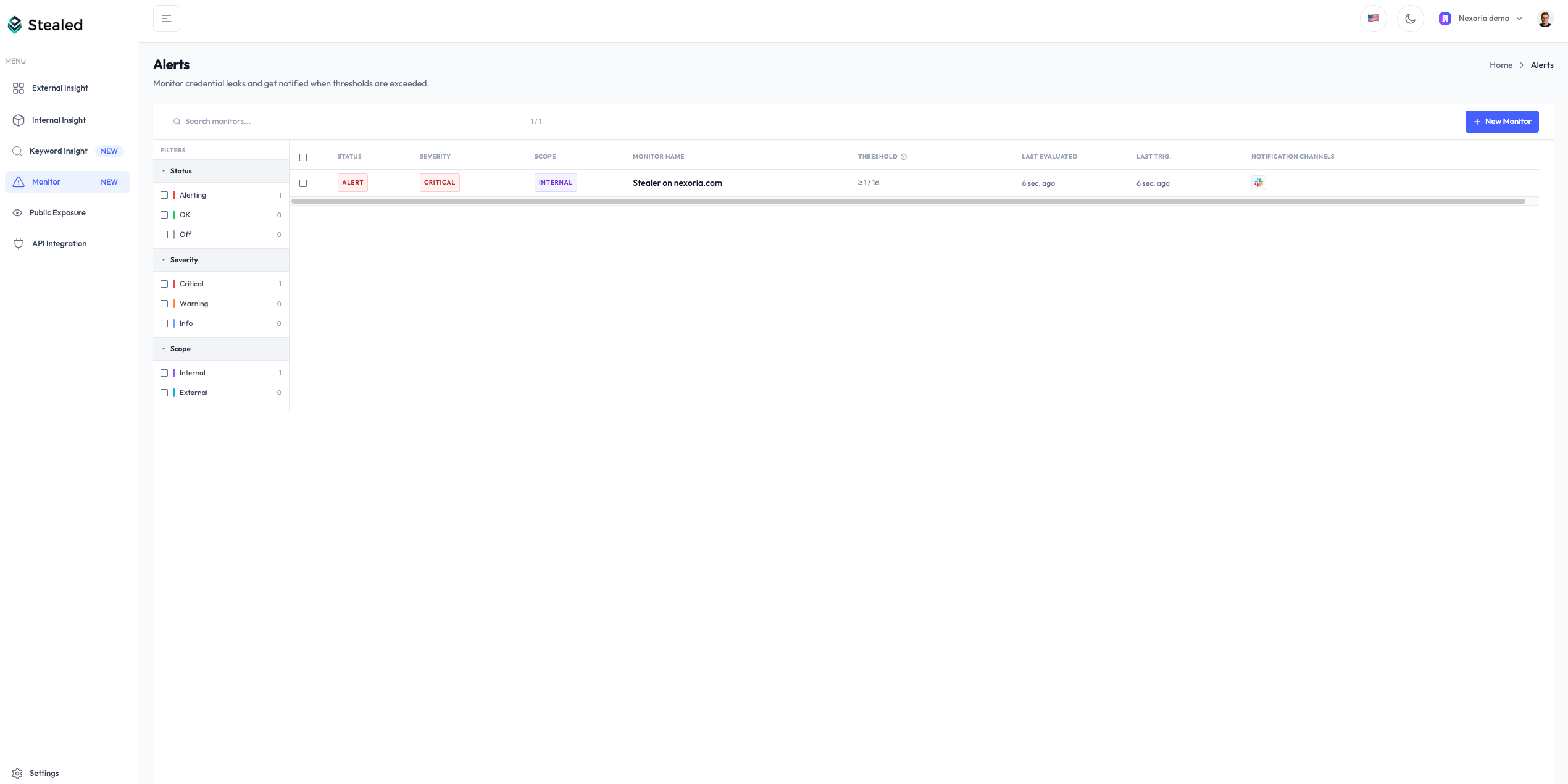
Monitoring is live: the full alerting stack in one module
Pattern matching, multi-channel notifications, alert handling system with deduplication, collaborative incident handling, audit trail.
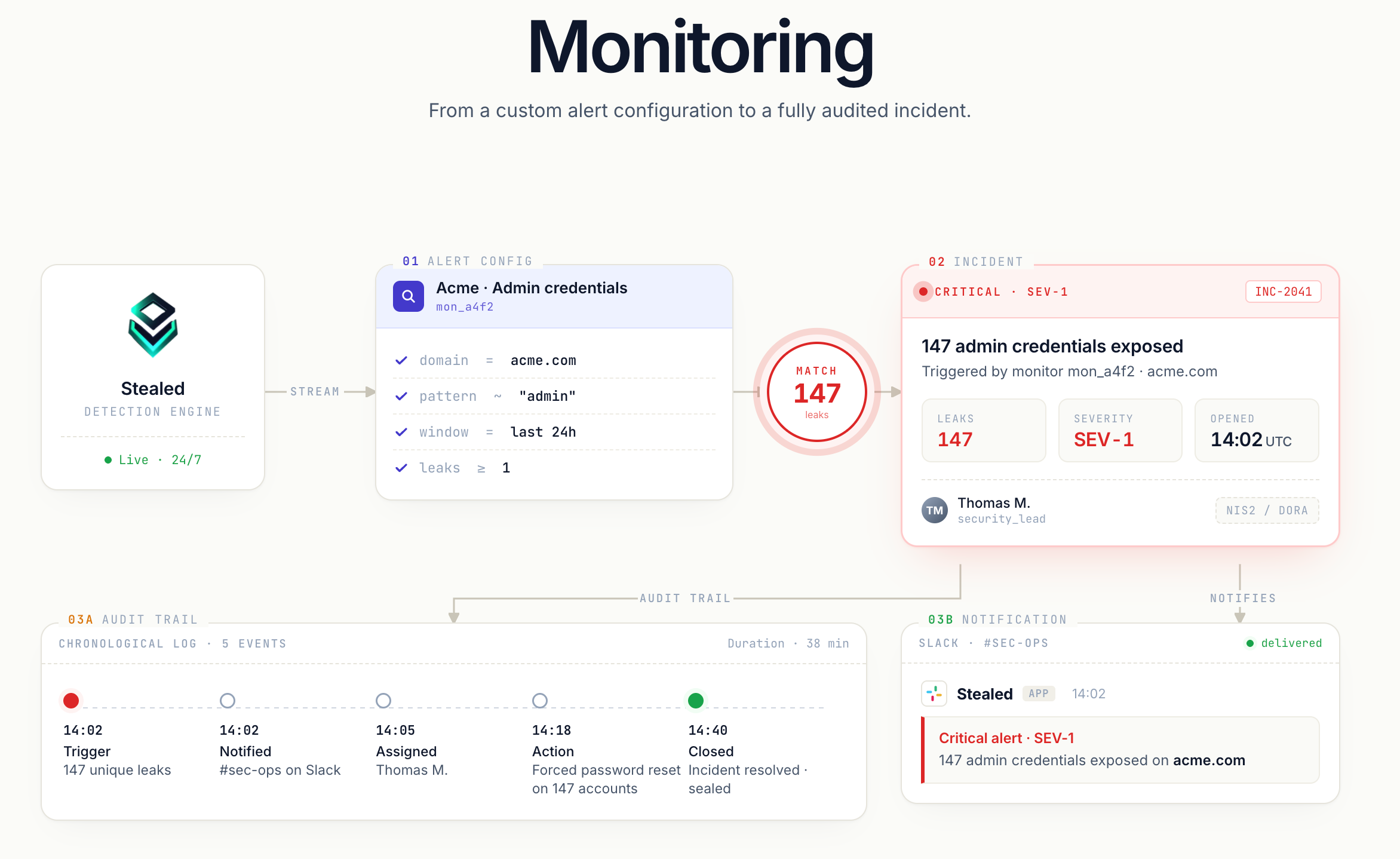
The Monitoring module is now available. You configure what Stealed watches, where you want to be alerted, and how to handle each alert once it fires.
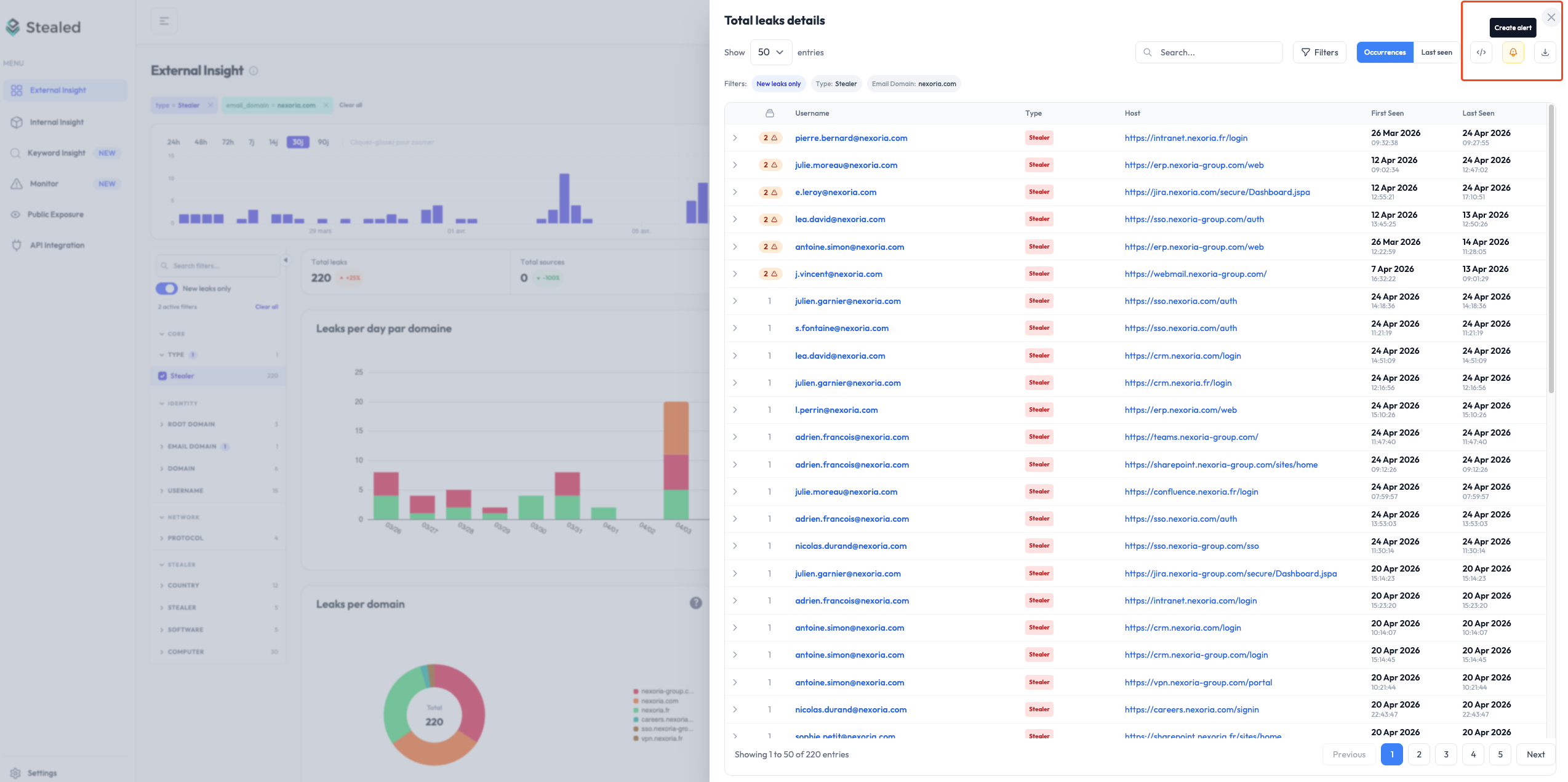
Pattern matching
A monitor is a rule applied to the live leak feed. The scheduler evaluates it every 10 minutes and fires as soon as a new leak matches.
What you configure:
- Filters: root domain, subdomain, keyword, leak type (combo list / infostealer), source.
- Trigger threshold: number of matching leaks before firing.
- Time-based renotification: reminder every 24 h by default.
- Volume-based renotification: reminder as soon as N new matching leaks have arrived since the last notification (default: 10), with a 15-minute floor between reminders.
- Delivery channels: one or more per monitor.
Both renotification mechanisms can coexist on the same monitor: whichever threshold is reached first wins.
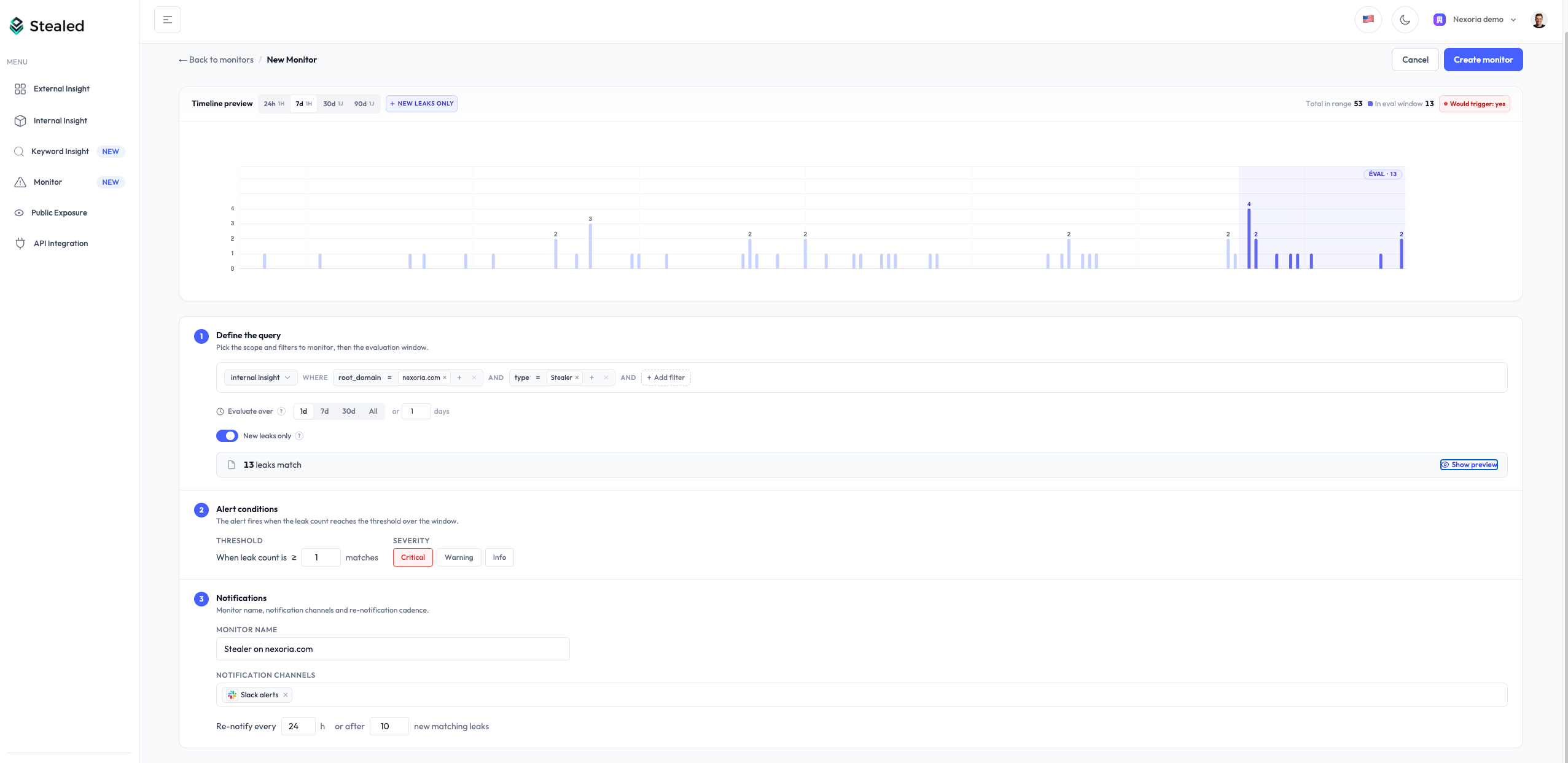
During configuration, the count of leaks matching the rule updates live, so you see the monitor’s reach before saving.
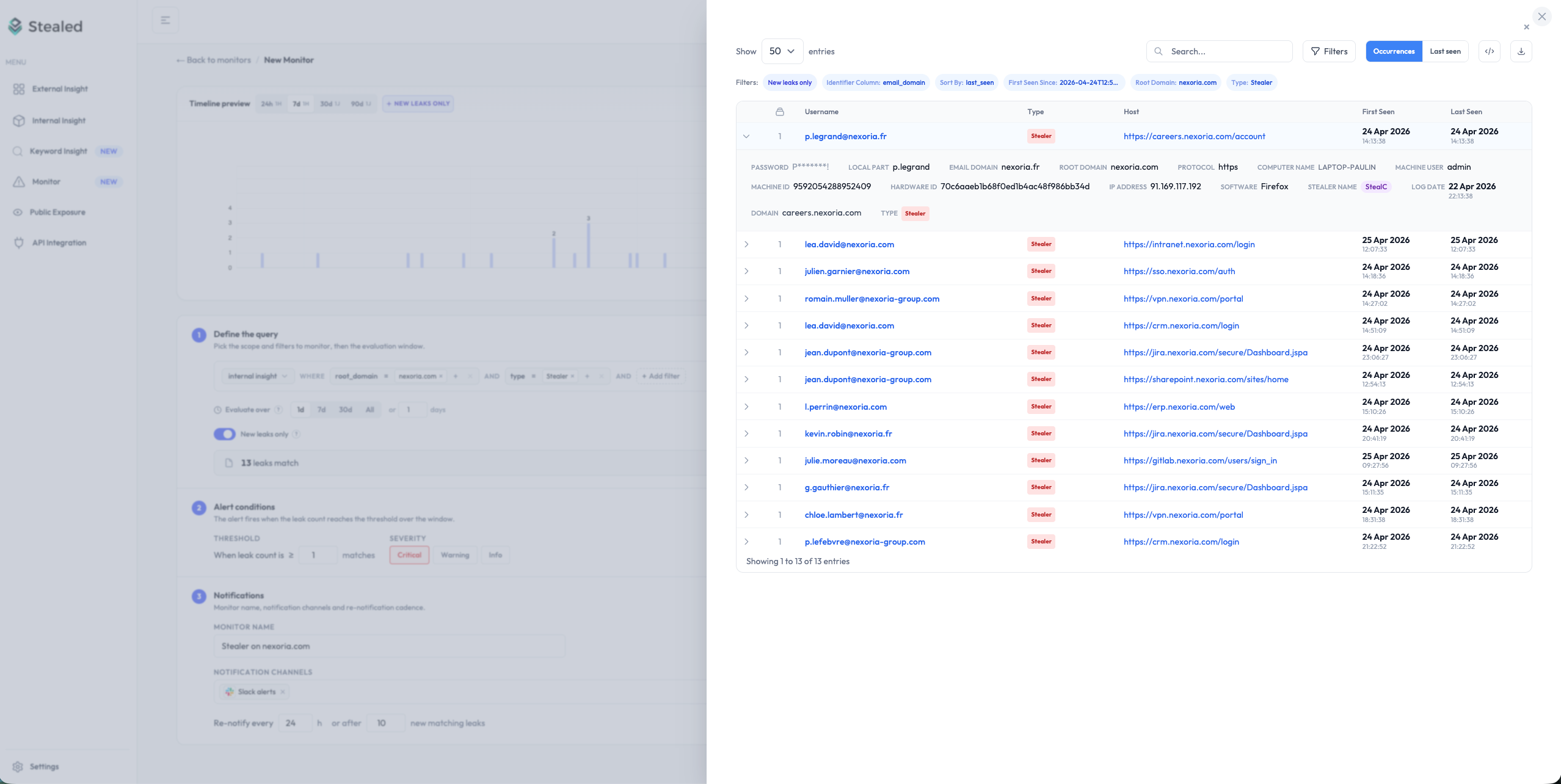
A monitor can also be created directly from an Insight page; filters are prefilled from the displayed context.
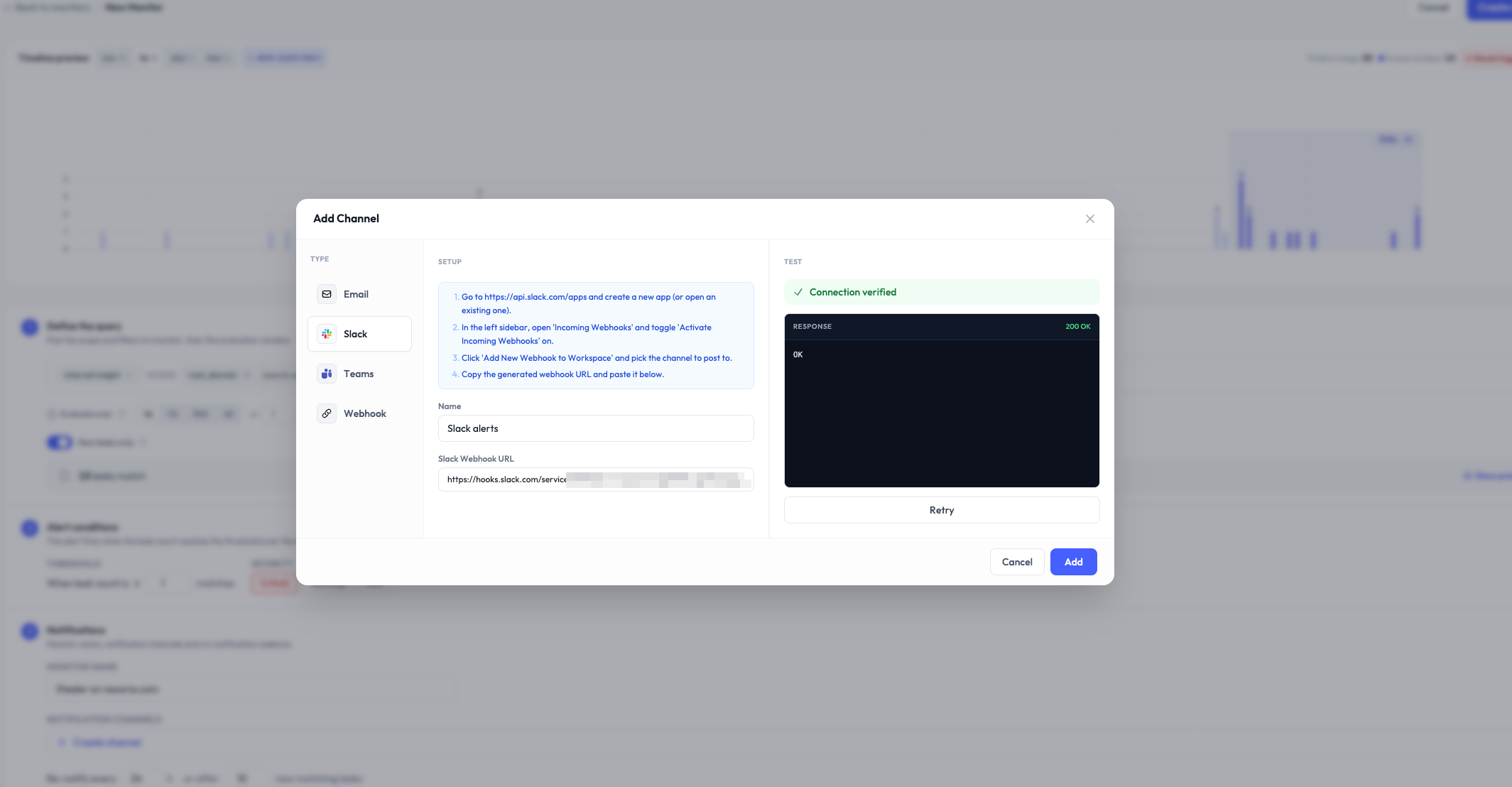
Multi-channel notifications
When a monitor fires, the alert is delivered simultaneously to every channel you’ve configured:
Each channel accepts a Notify on state changes option: every acknowledge, resolve or reopen of an event sends a lightweight notification. Useful to follow team coordination without reopening Stealed.
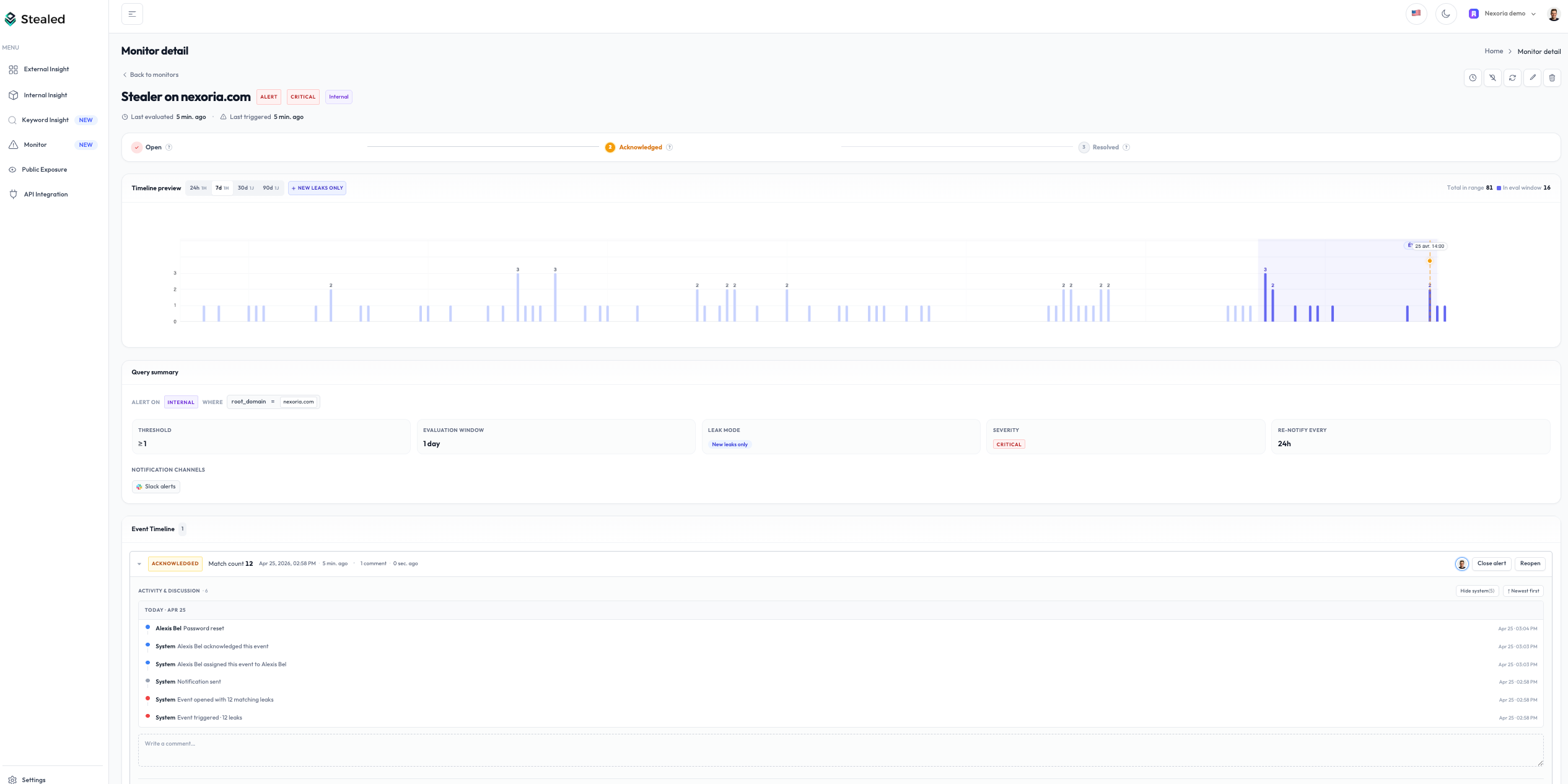
Alert handling system
Every match generates an event your team can act on:
- Display its context (originating monitor, matching leaks, trigger date).
- Assign to a team member.
- Acknowledge: mark as seen / handled.
- Comment to document a decision or handoff.
- Mute the underlying monitor (15 min, 1 h, 4 h, 24 h or a custom date).
- Close once the incident is resolved.
All these actions, along with notifications sent and state transitions, feed the activity timeline of the event. It serves as an audit trail directly usable for NIS2 / DORA.
Deduplication
When multiple leaks match the same monitor, Stealed doesn’t open one event per leak:
- While an event is open, new matching leaks enrich it. The counter goes up, no duplicate is created.
- Once the event is closed, a new matching leak opens a new event, but only with new hashes: credentials already tracked are not re-counted.
Result: alerts only signal genuinely new leaks, never historical noise.
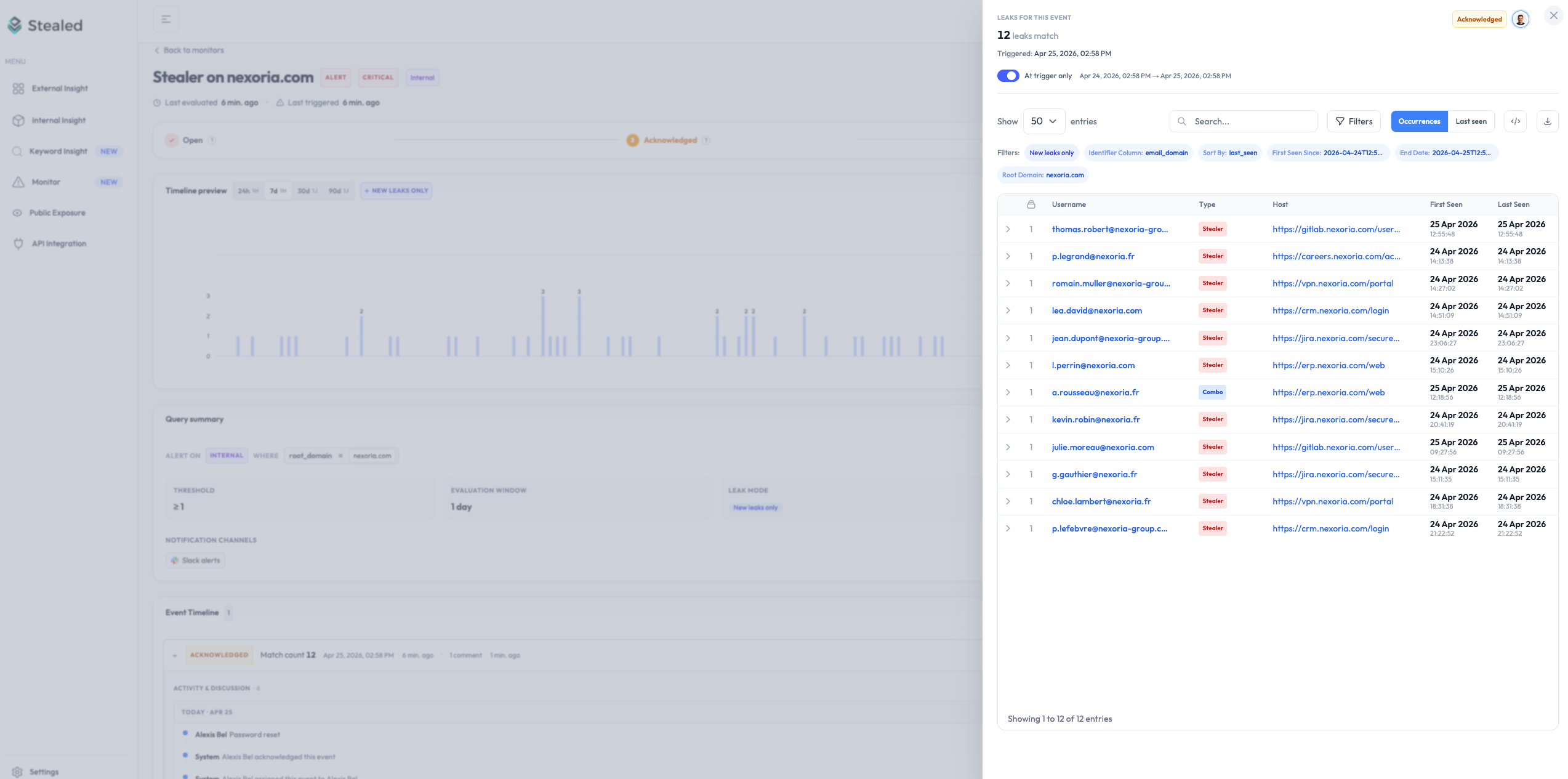
Leak preview
For every event, the detailed list of credentials that triggered the alert can be inspected with two views:
- At trigger: frozen, leaks that matched at the exact moment of the trigger.
- Live: leaks that continue to match while the event is open.
View all monitors
All monitors are available on the Monitoring page, with their status (active, muted, triggered) and the open events counter.