Subscribe to RSS

Changelog

The latest product launches and feature updates from Stealed.

New

Cockpit: your exposure, at a glance

New default landing page. All-time exposure, recent activity per scope, and the state of your monitors, all on one page.

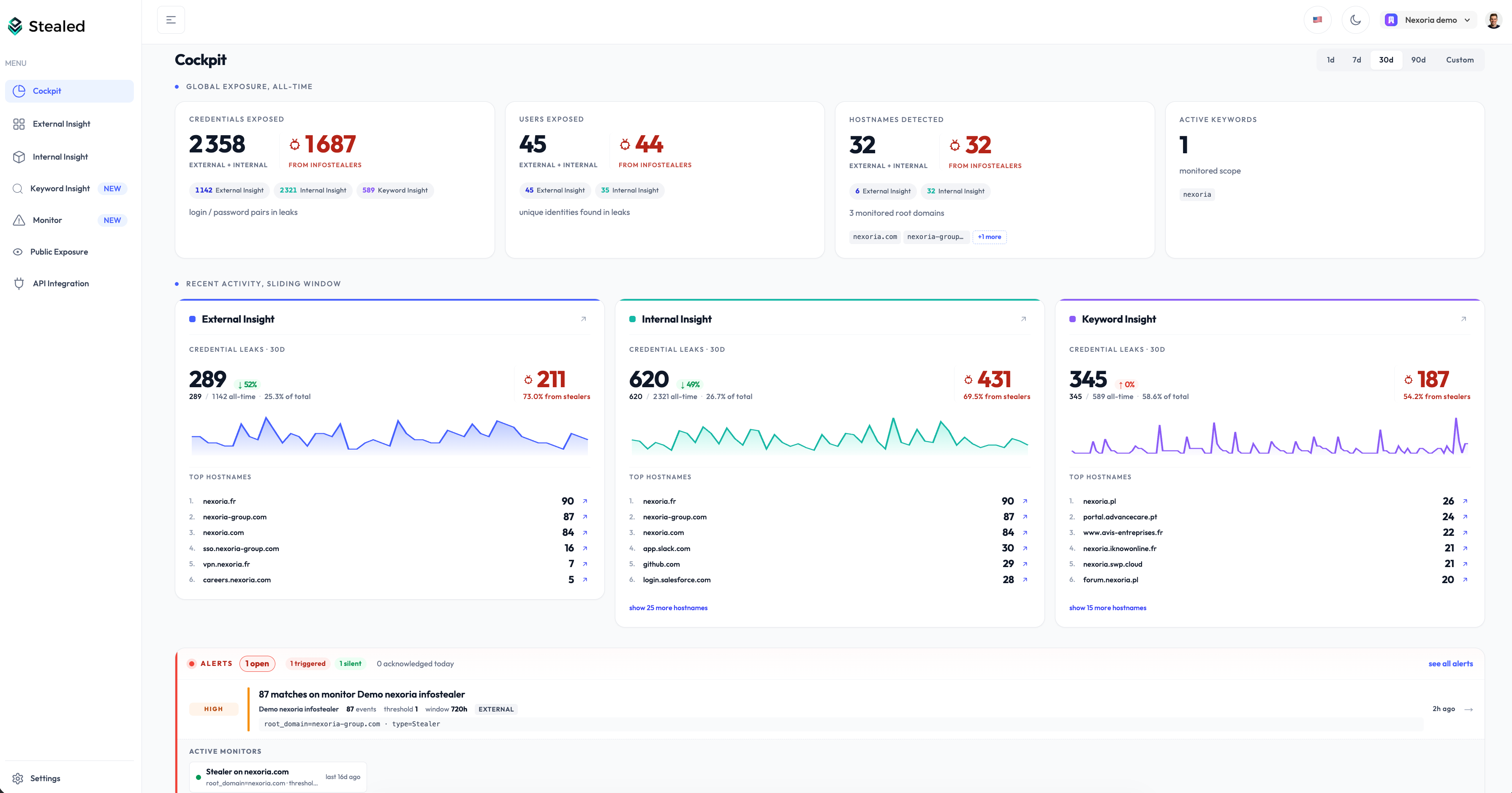
Stealed Cockpit landing page: period selector, Global Exposure KPIs, Recent Activity per scope, Alerts and Active Monitors

The Cockpit is now the page you land on after sign-in. One screen to answer “how exposed are we today, and what changed?” before diving anywhere else.

Three sections stacked top to bottom:

  • Global Exposure, your all-time totals. Credentials, users and hostnames exposed, plus your monitored scope. Each number splits per Insight and isolates the infostealer-sourced leaks at a glance.
  • Recent Activity, what changed in the last 1d, 7d, 30d, 90d or a custom window. One column per Insight, with the trend versus the previous window and the Top hostnames hit during the period.
  • Alerts and Active Monitors, the live state of your monitoring. Triggered events, volumetric anomalies, and a grid of every monitor currently watching.

Every KPI, chip and Top item is clickable: drill straight into the leaks behind a number, or jump to the matching Insight pre-filtered. No more digging through three pages to figure out where the heat is.

Open the app, you are on it.

New

Monitoring is live: the full alerting stack in one module

Pattern matching, multi-channel notifications, alert handling system with deduplication, collaborative incident handling, audit trail.

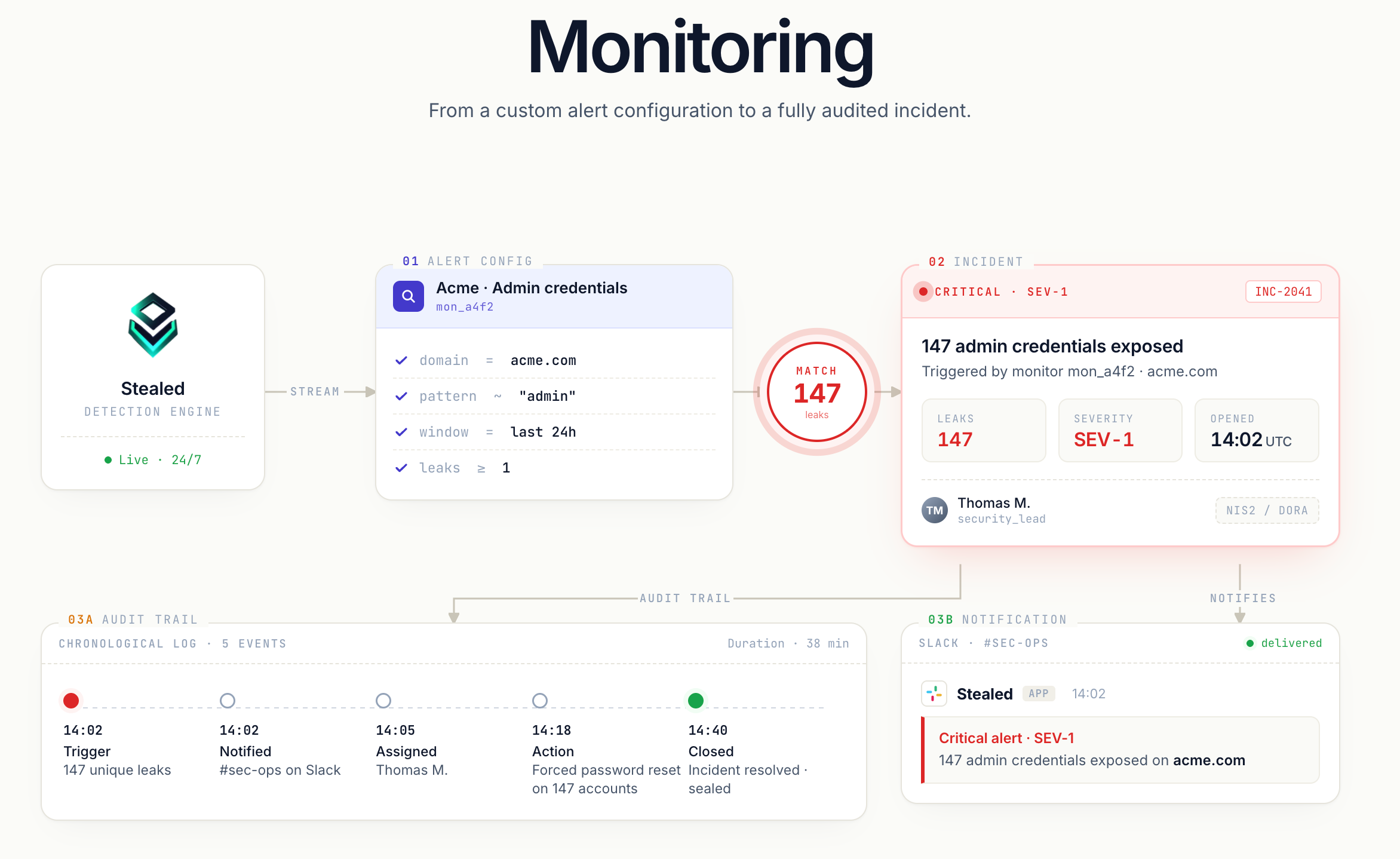
Stealed Monitoring pipeline: from the detection engine to a fully audited incident, through match, notification and chronological audit trail

The Monitoring module is now available. You configure what Stealed watches, where you want to be alerted, and how to handle each alert once it fires.

Pattern matching

A monitor is a rule applied to the live leak feed. The scheduler evaluates it every 10 minutes and fires as soon as a new leak matches.

What you configure:

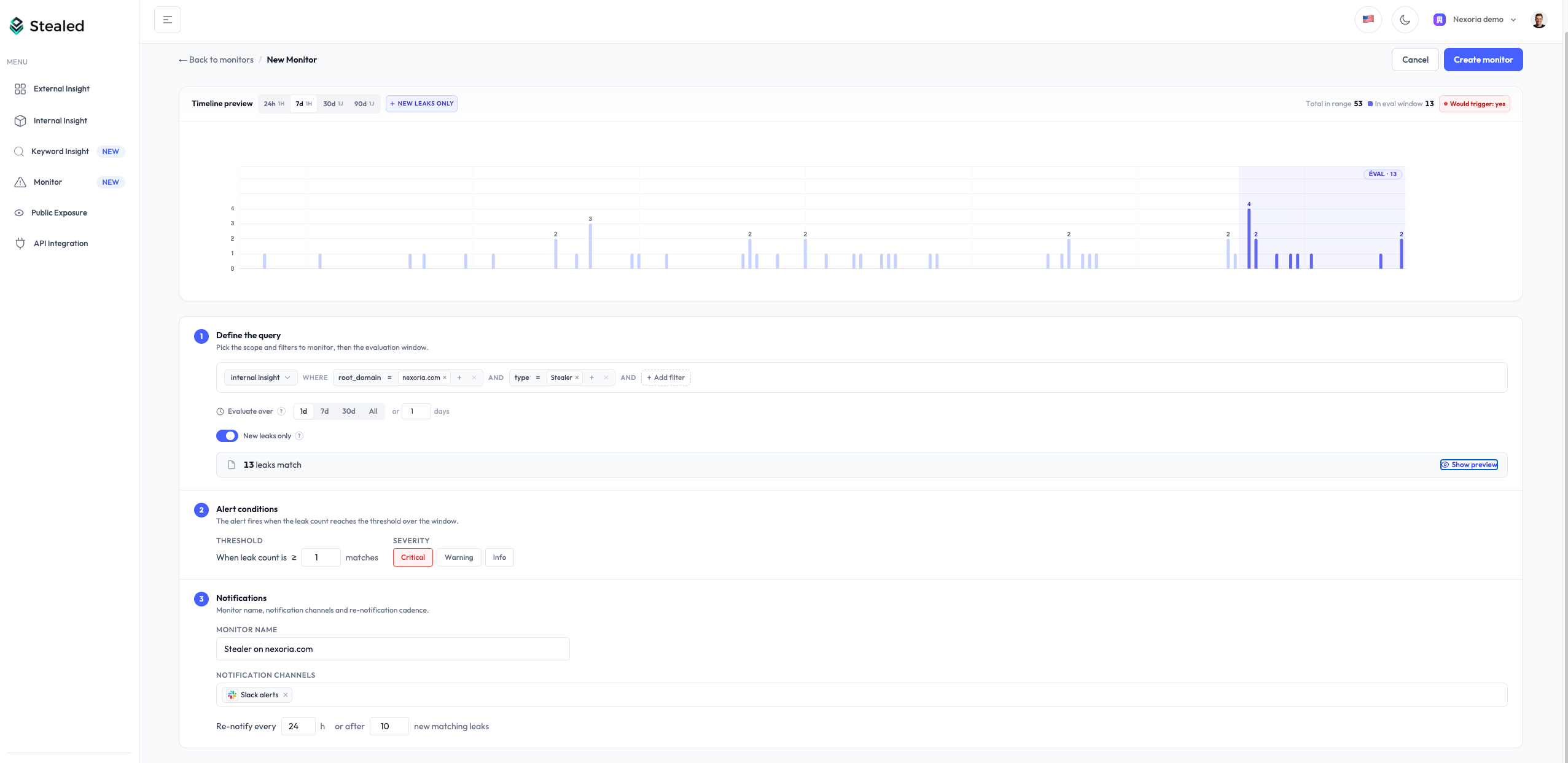
  • Filters: root domain, subdomain, keyword, leak type (combo list / infostealer), source.
  • Trigger threshold: number of matching leaks before firing.
  • Time-based renotification: reminder every 24 h by default.
  • Volume-based renotification: reminder as soon as N new matching leaks have arrived since the last notification (default: 10), with a 15-minute floor between reminders.
  • Delivery channels: one or more per monitor.

Both renotification mechanisms can coexist on the same monitor: whichever threshold is reached first wins.

Monitor create form: filters, threshold, renotification and channel selection

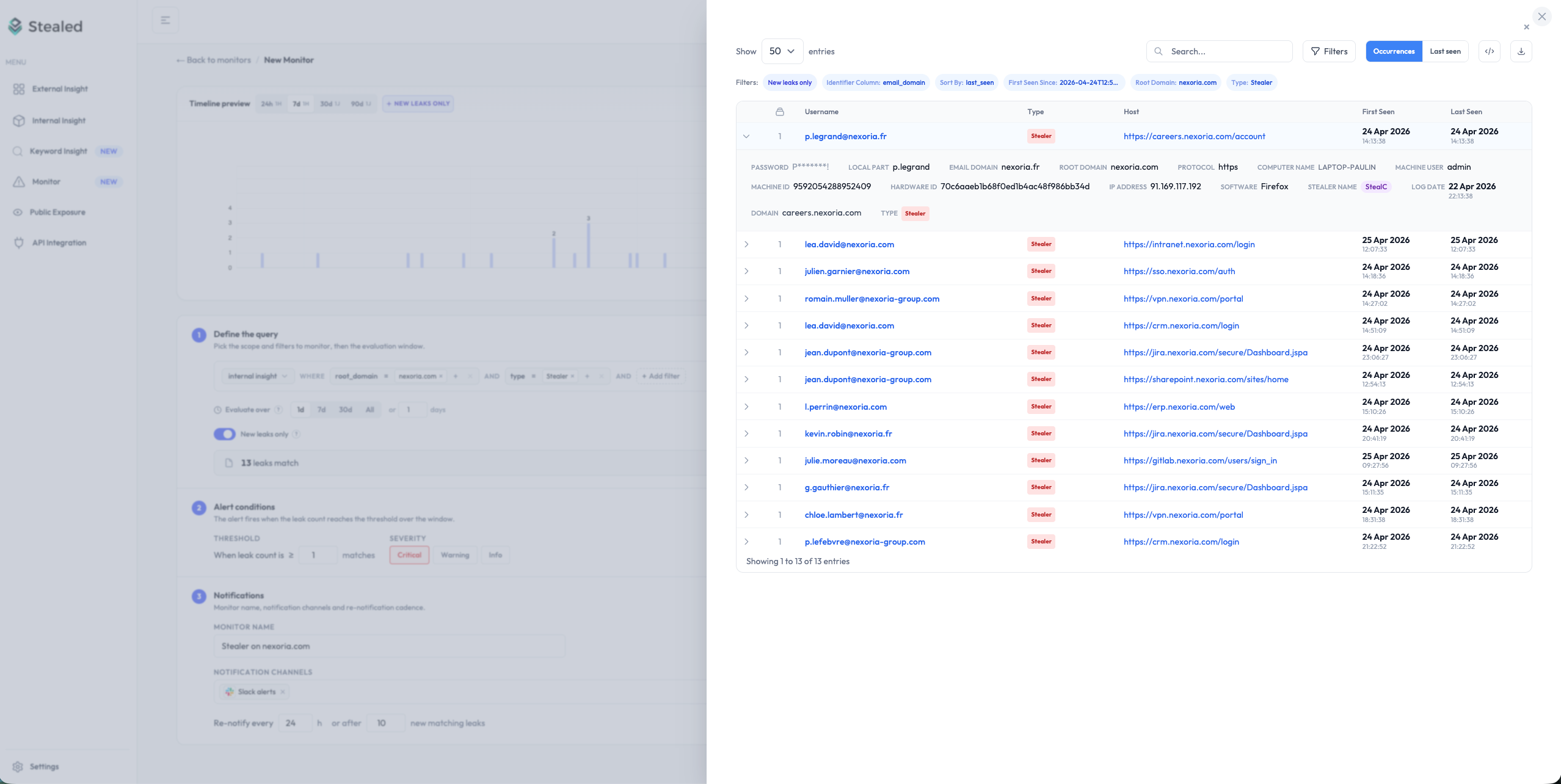
During configuration, the count of leaks matching the rule updates live, so you see the monitor’s reach before saving.

Preview of leaks matching the monitor being configured, displayed alongside the form

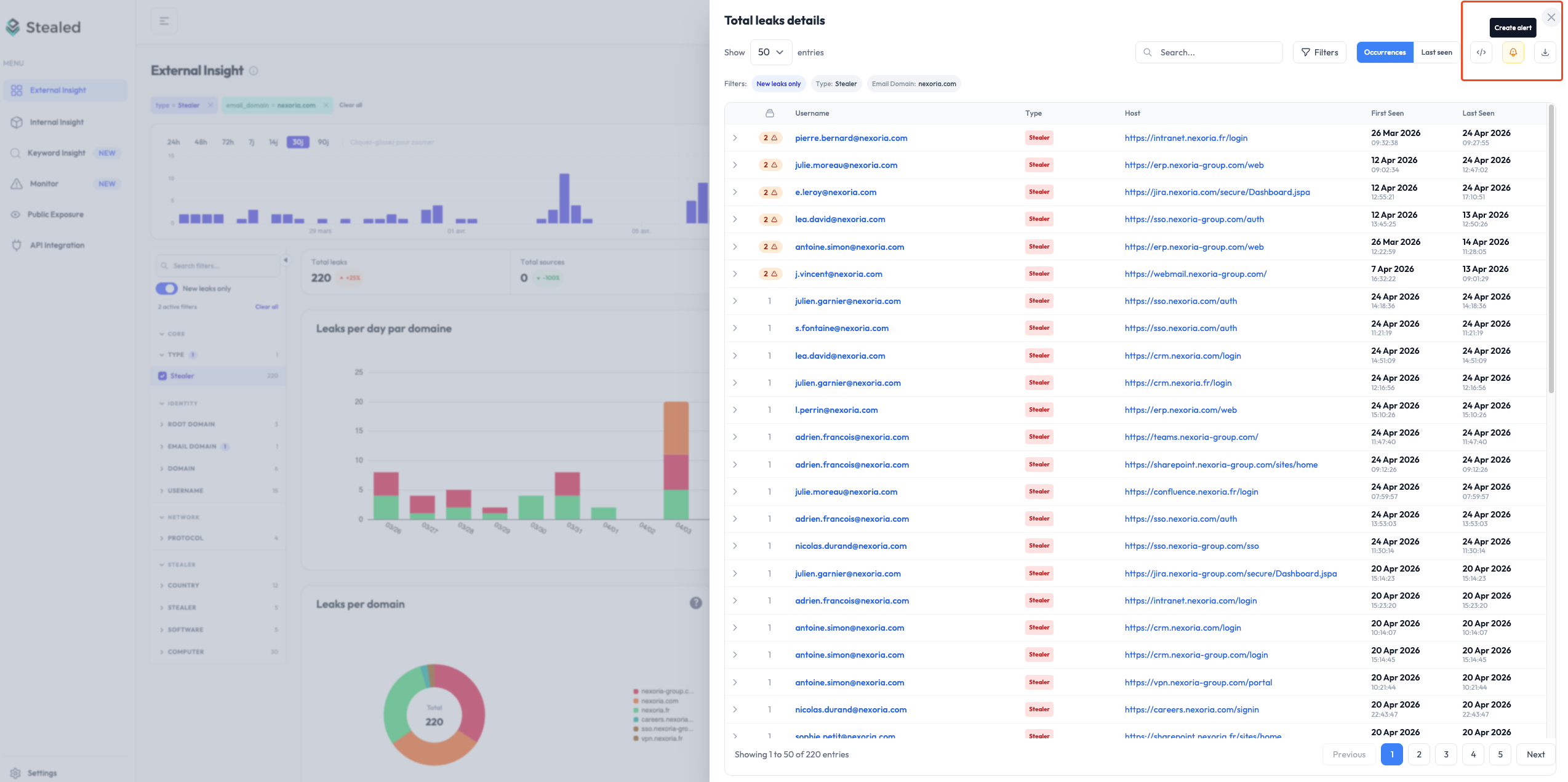
A monitor can also be created directly from an Insight page; filters are prefilled from the displayed context.

Creating a monitor from the External Insight page, with the "Create Alert" button and the matching leaks preview

Multi-channel notifications

When a monitor fires, the alert is delivered simultaneously to every channel you’ve configured:

Slack
Microsoft Teams
Webhook
Email

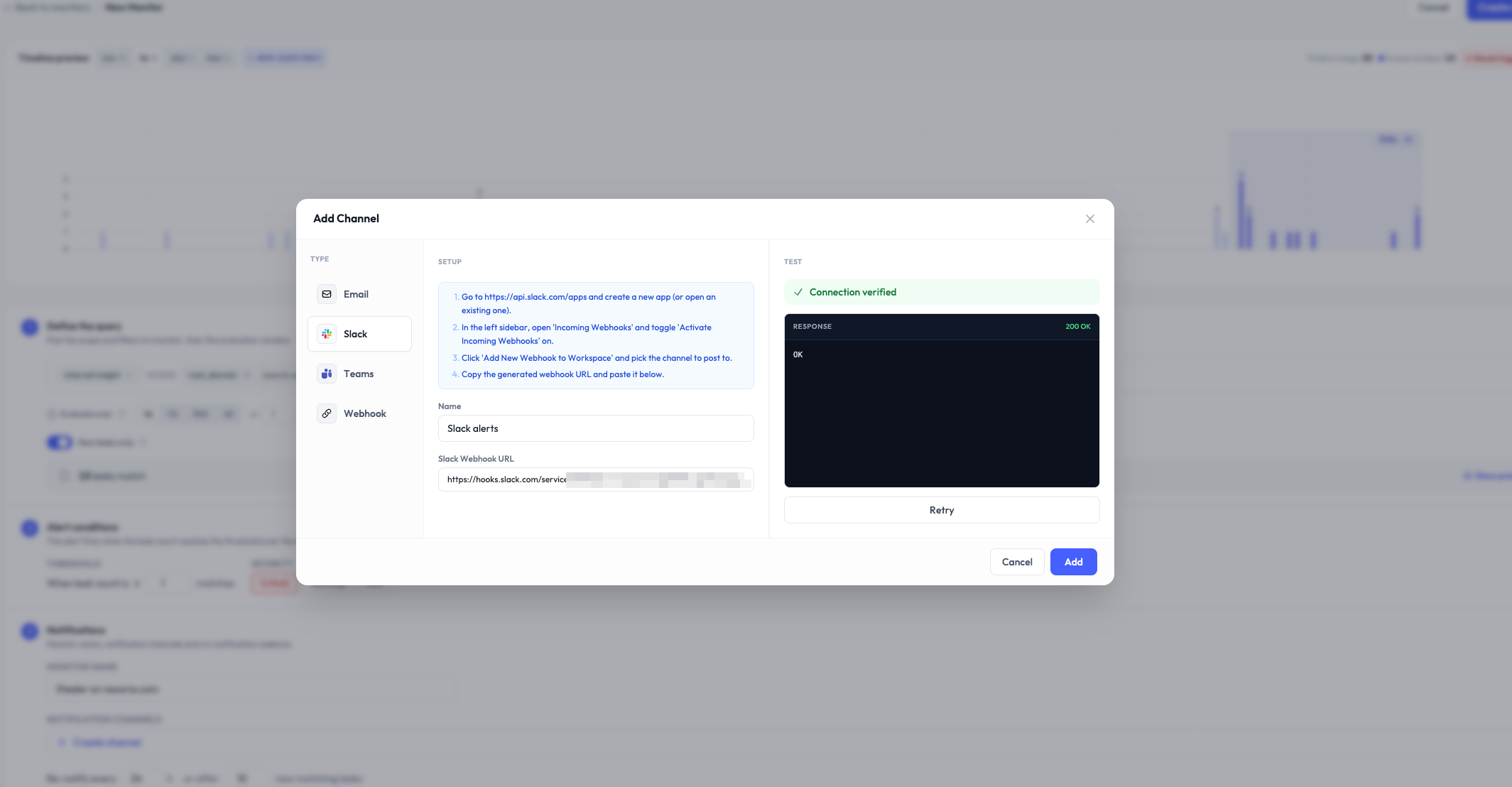
Each channel accepts a Notify on state changes option: every acknowledge, resolve or reopen of an event sends a lightweight notification. Useful to follow team coordination without reopening Stealed.

Notification channel creation: configuration and "state changes" options

Alert handling system

Every match generates an event your team can act on:

  • Display its context (originating monitor, matching leaks, trigger date).
  • Assign to a team member.
  • Acknowledge: mark as seen / handled.
  • Comment to document a decision or handoff.
  • Mute the underlying monitor (15 min, 1 h, 4 h, 24 h or a custom date).
  • Close once the incident is resolved.

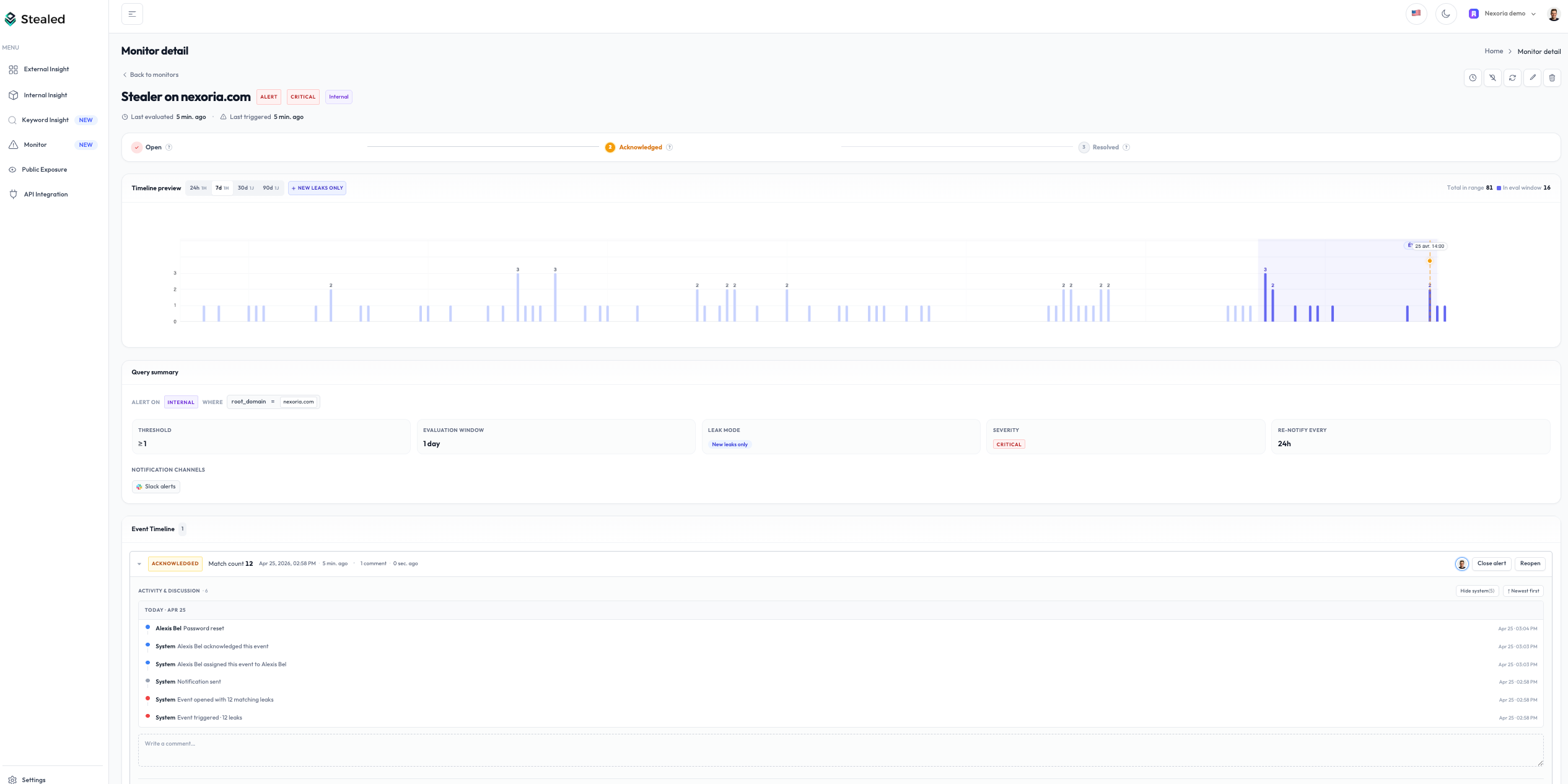
All these actions, along with notifications sent and state transitions, feed the activity timeline of the event. It serves as an audit trail directly usable for NIS2 / DORA.

Alert triggered and event page with available actions (assign, acknowledge, close)

Deduplication

When multiple leaks match the same monitor, Stealed doesn’t open one event per leak:

  • While an event is open, new matching leaks enrich it. The counter goes up, no duplicate is created.
  • Once the event is closed, a new matching leak opens a new event, but only with new hashes: credentials already tracked are not re-counted.

Result: alerts only signal genuinely new leaks, never historical noise.

Leak preview

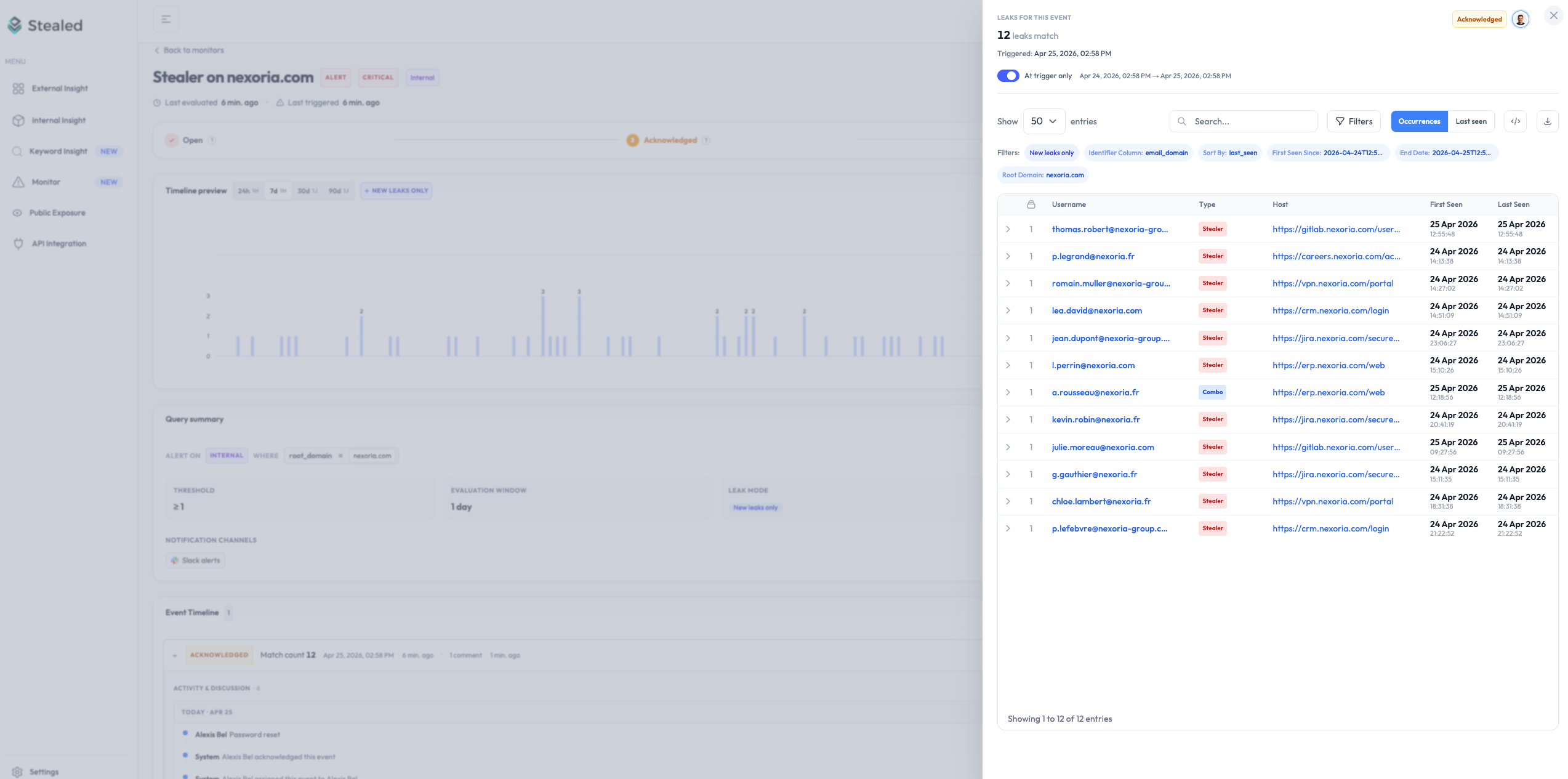
For every event, the detailed list of credentials that triggered the alert can be inspected with two views:

  • At trigger: frozen, leaks that matched at the exact moment of the trigger.
  • Live: leaks that continue to match while the event is open.

Leak preview of a Stealer event with both tabs and the activity timeline

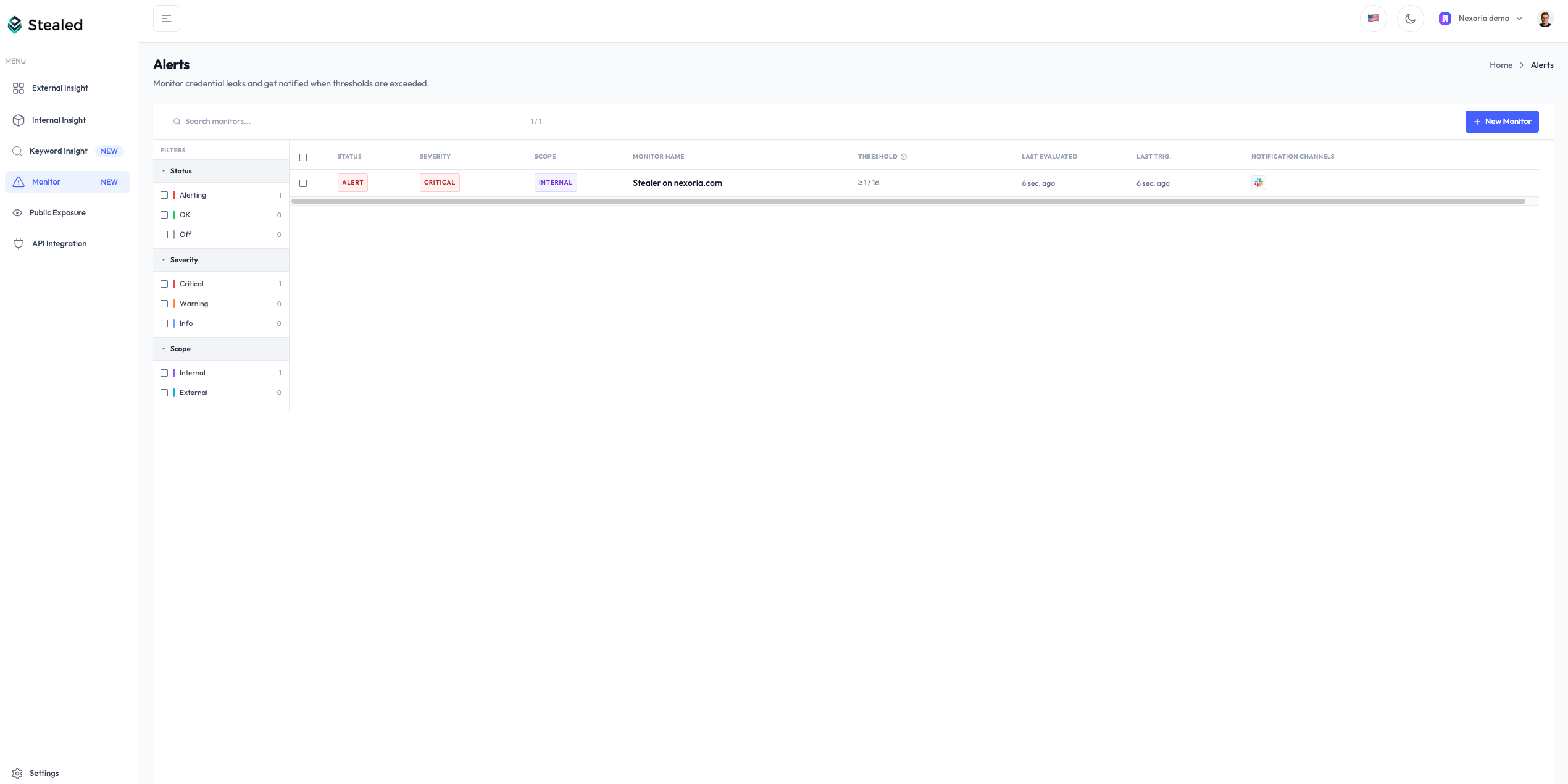
View all monitors

All monitors are available on the Monitoring page, with their status (active, muted, triggered) and the open events counter.

List of active monitors with their status and open events counter

New

✨ Keyword Insight: Monitor leaks beyond your domains

Detect credential leaks on any URL containing a keyword — including third-party domains, vendor portals, and SaaS platforms you don't own.

Stealed Keyword Insight dashboard

Until now, Stealed let you detect credential leaks on your own domains. But what happens when your team uses third-party tools, vendor portals, or SaaS platforms you don’t own?

Keyword Insight closes this gap.

Keyword Insight

How it works

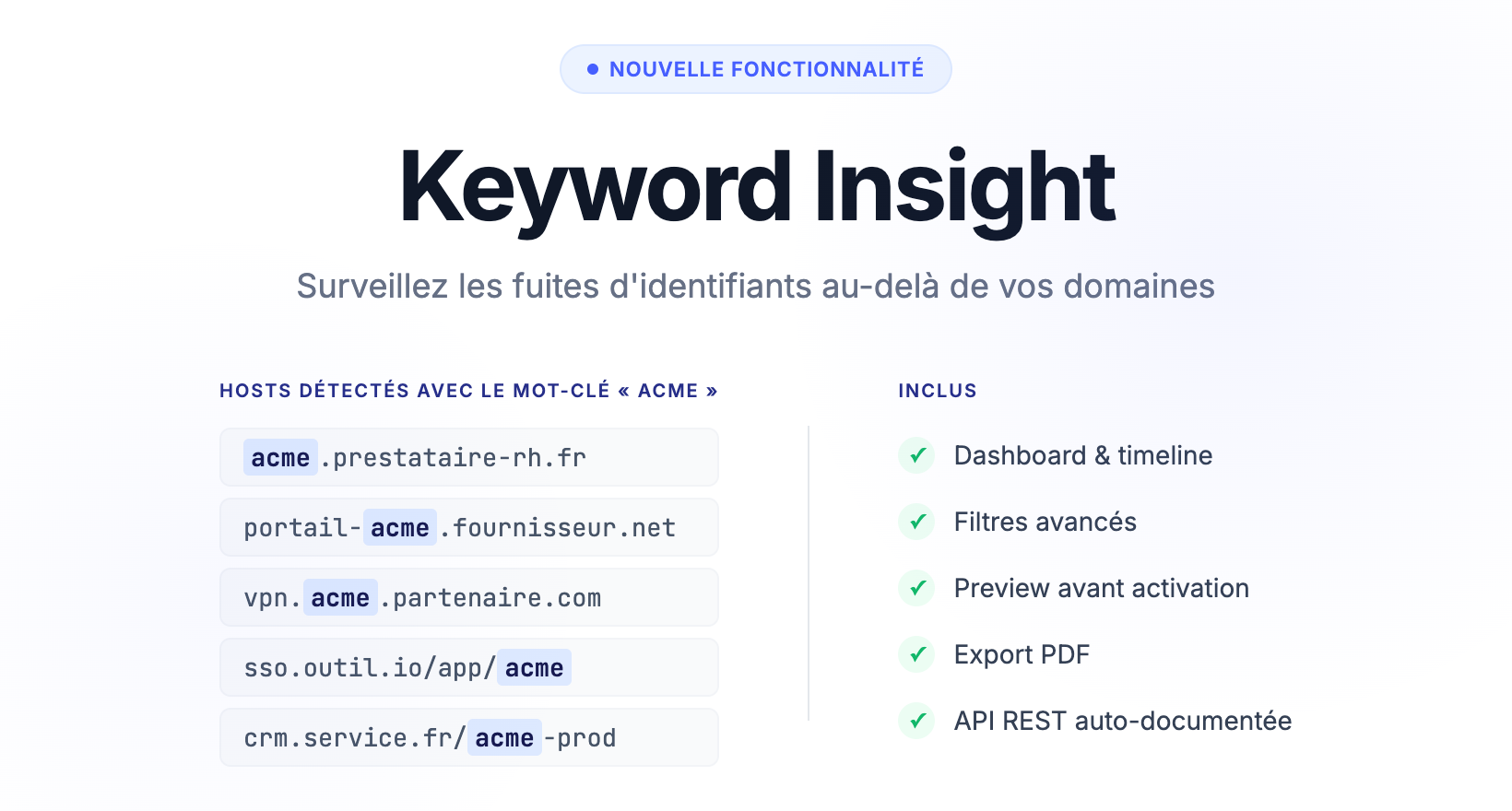
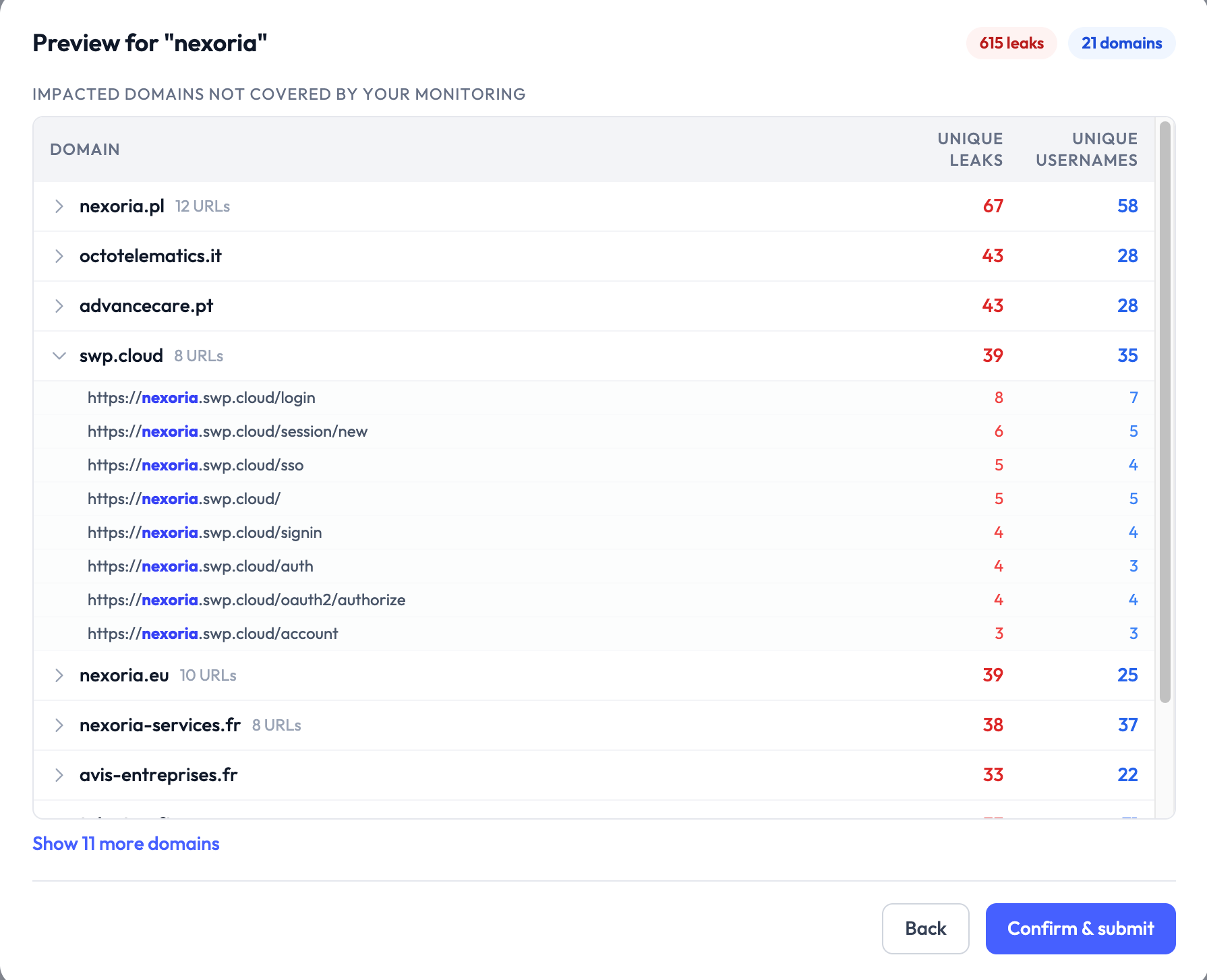
Add a keyword such as your company name or a subsidiary name and Stealed automatically scans every compromised URL containing that term, even on third-party domains.

Concrete example: Your company is called “Nexoria” → detect leaks on nexoria.vendor.com, portal-nexoria.service.io, service.com/nexoria, etc.

Keyword Insight - third-party detection

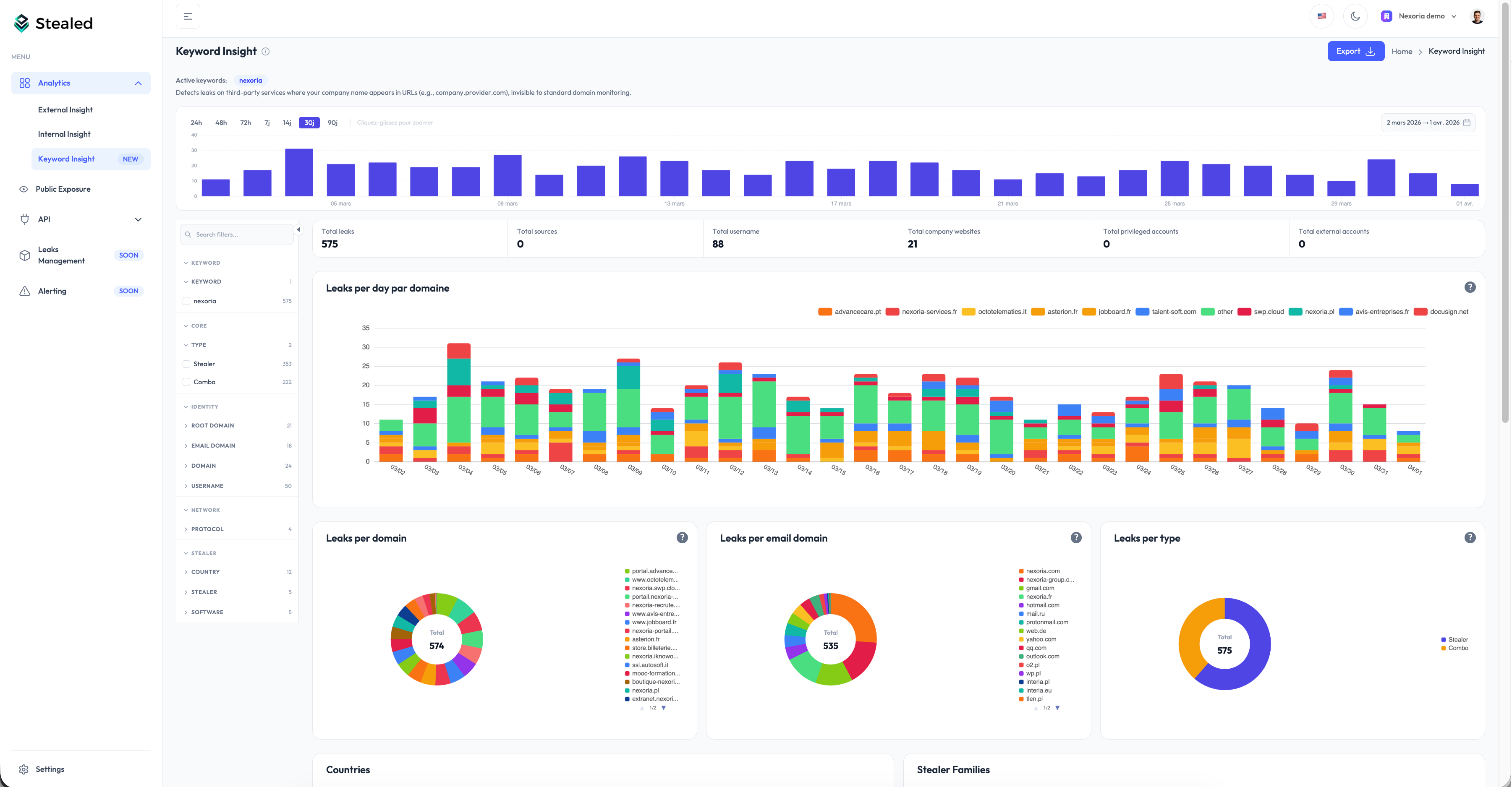
What you get

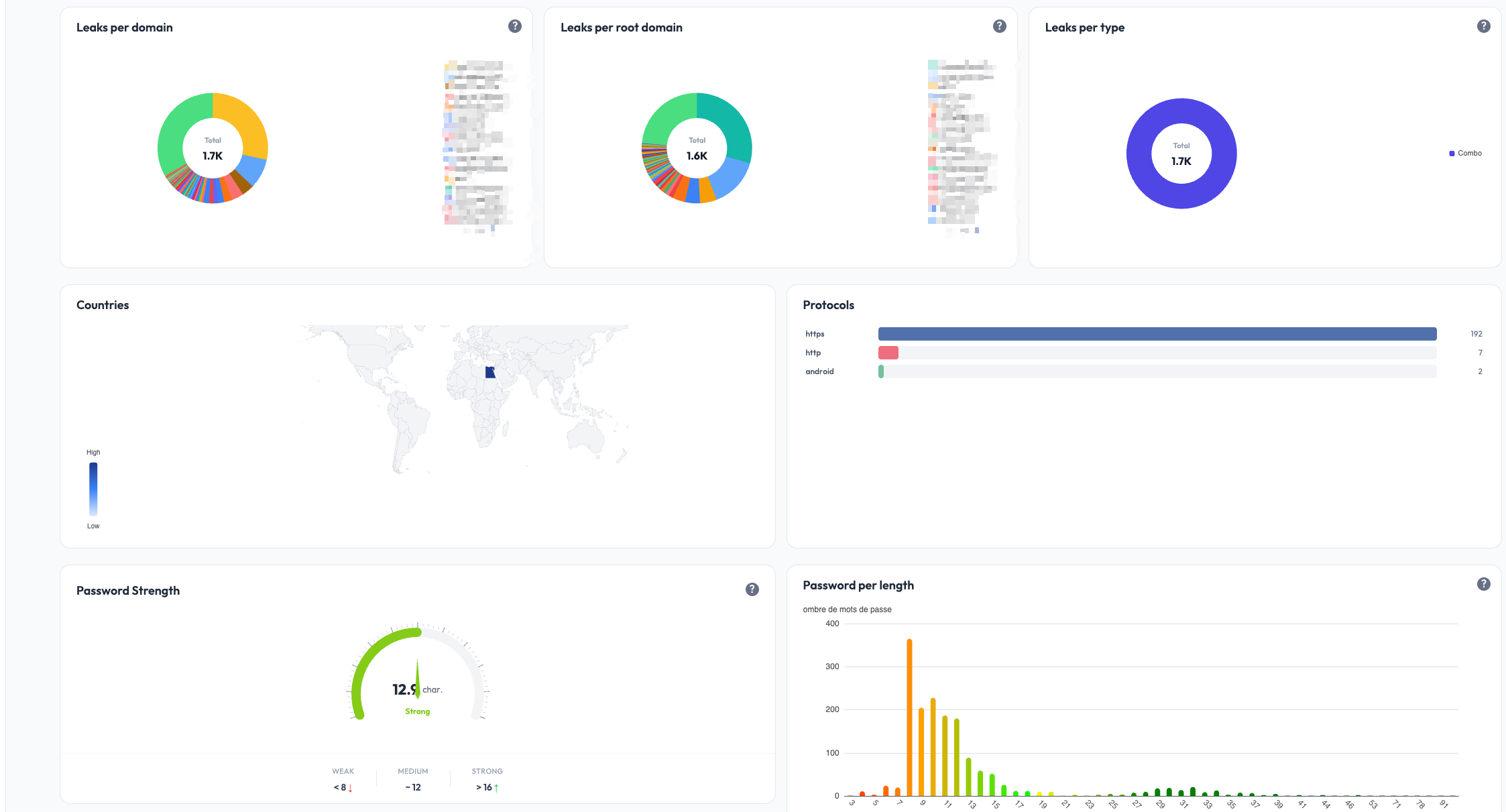
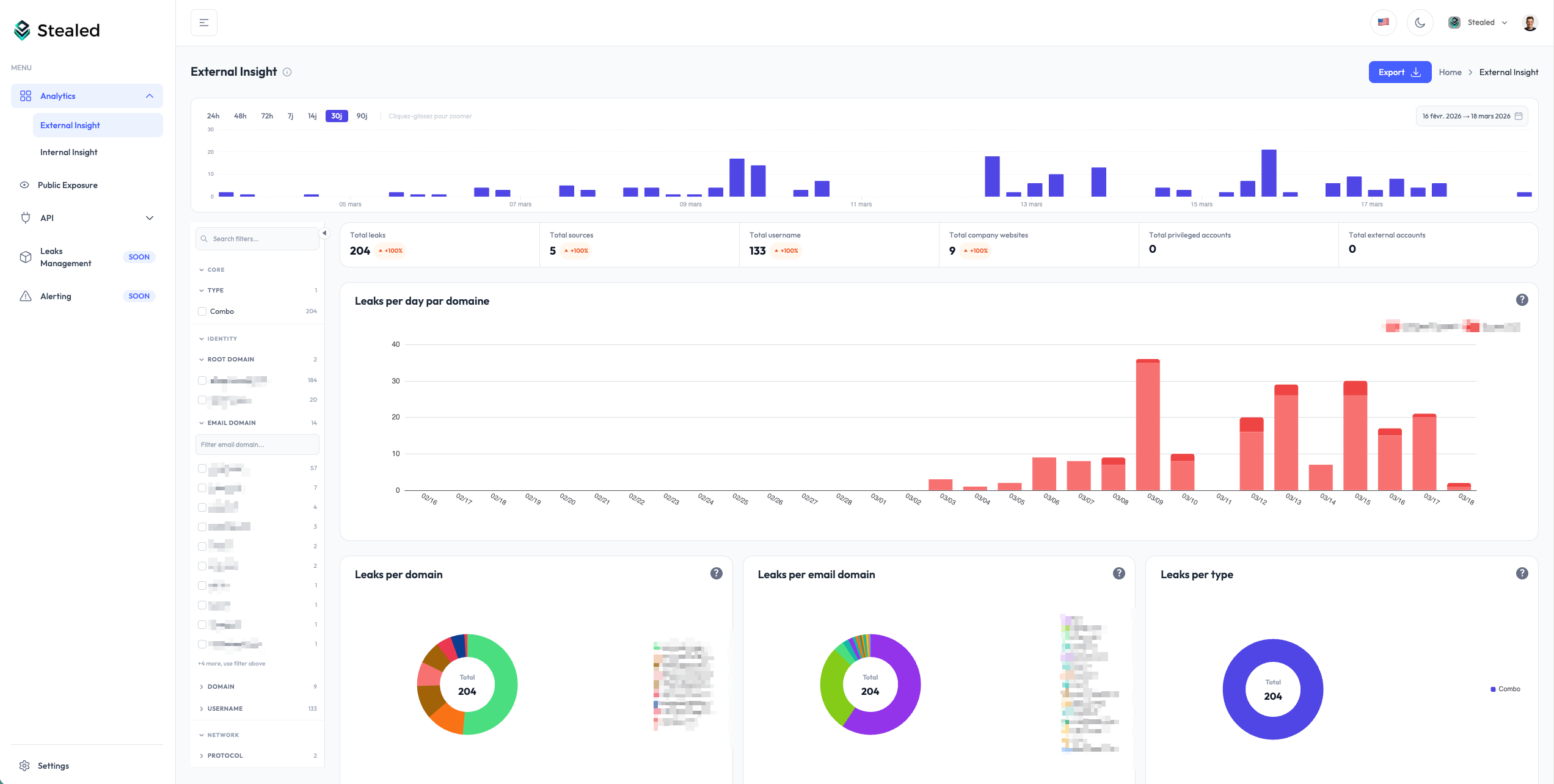
  • Dedicated dashboard with a leak timeline, breakdown by type, by stealer, and by country
  • Advanced filters: domain, source, country, browser, machine name…
  • Preview before activation: see results before confirming the keyword
  • PDF export for your security reports

Keyword Insight - dashboard

Availability

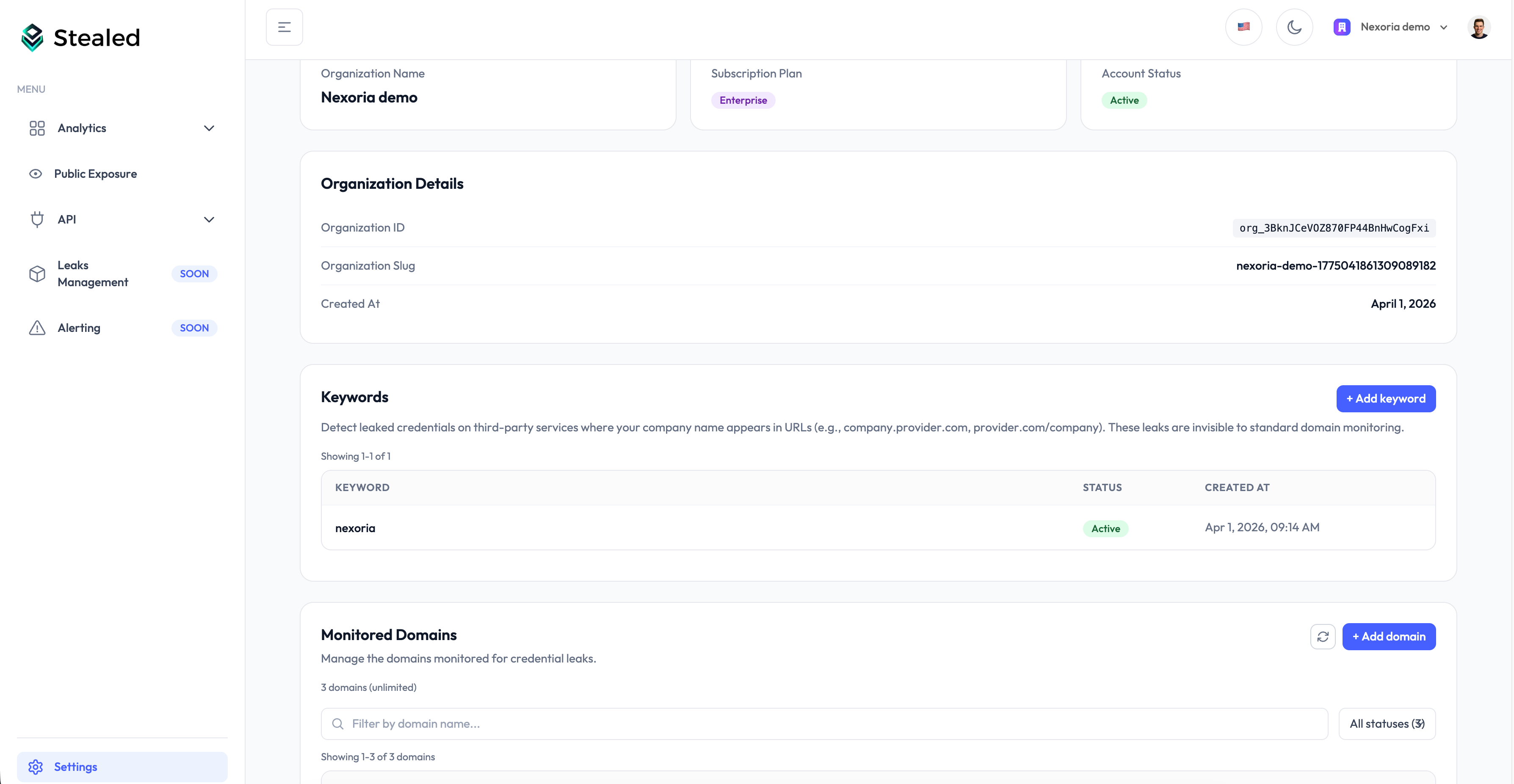
Keyword Insight is available now to every organization. Head to Settings > Keywords to configure your first keywords.

GA

Stealed v1.0

First official release: guided onboarding, domain management, faceted filters, leak detail view, API code generation, Public Exposure, new chart system, unlimited retention, and PDF export.

Stealed v1.0 External Insight dashboard

Guided onboarding

A configuration assistant walks new organizations through:

  1. Creating the organization
  2. Adding and verifying the first domain
  3. Reaching the dashboard with data

The assistant resumes where you left off if you exit mid-flow.
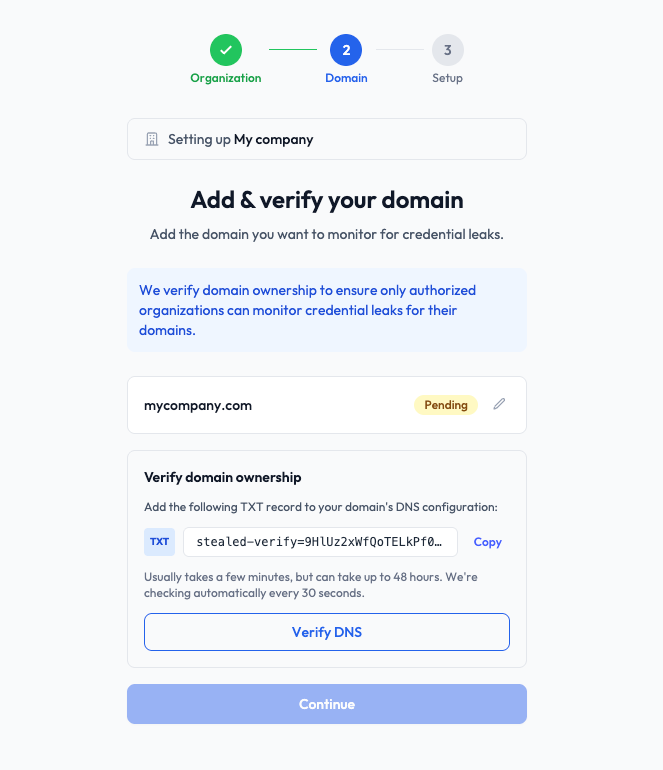
Guided onboarding

Monitored domain management

From the Settings page, add or remove monitored domains at any time.

When a domain is verified, the full history of existing leaks is automatically attached to your workspace. Data is available immediately, with no waiting period.
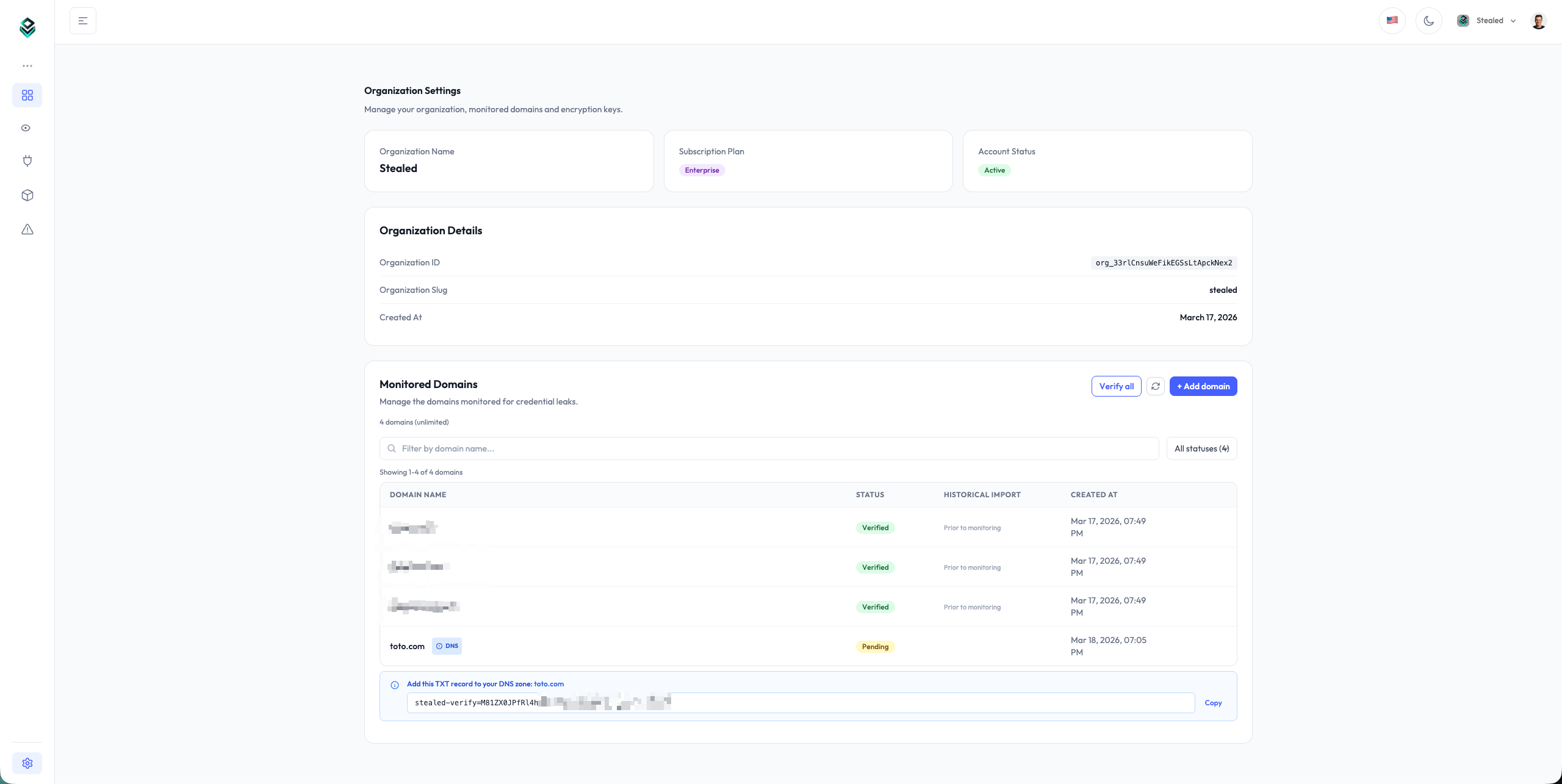
Monitored domain management

Faceted filters

A side filter panel is available on every analytics view. Filters are organized by category:

  • Core: leak type (Combo / Stealer)
  • Identity: root domain, email domain, domain, username
  • Network: protocol
  • Stealer: stealer family, country

Click a value to filter instantly. Each category shows the number of available values and includes a search bar to quickly find a filter among hundreds of values.
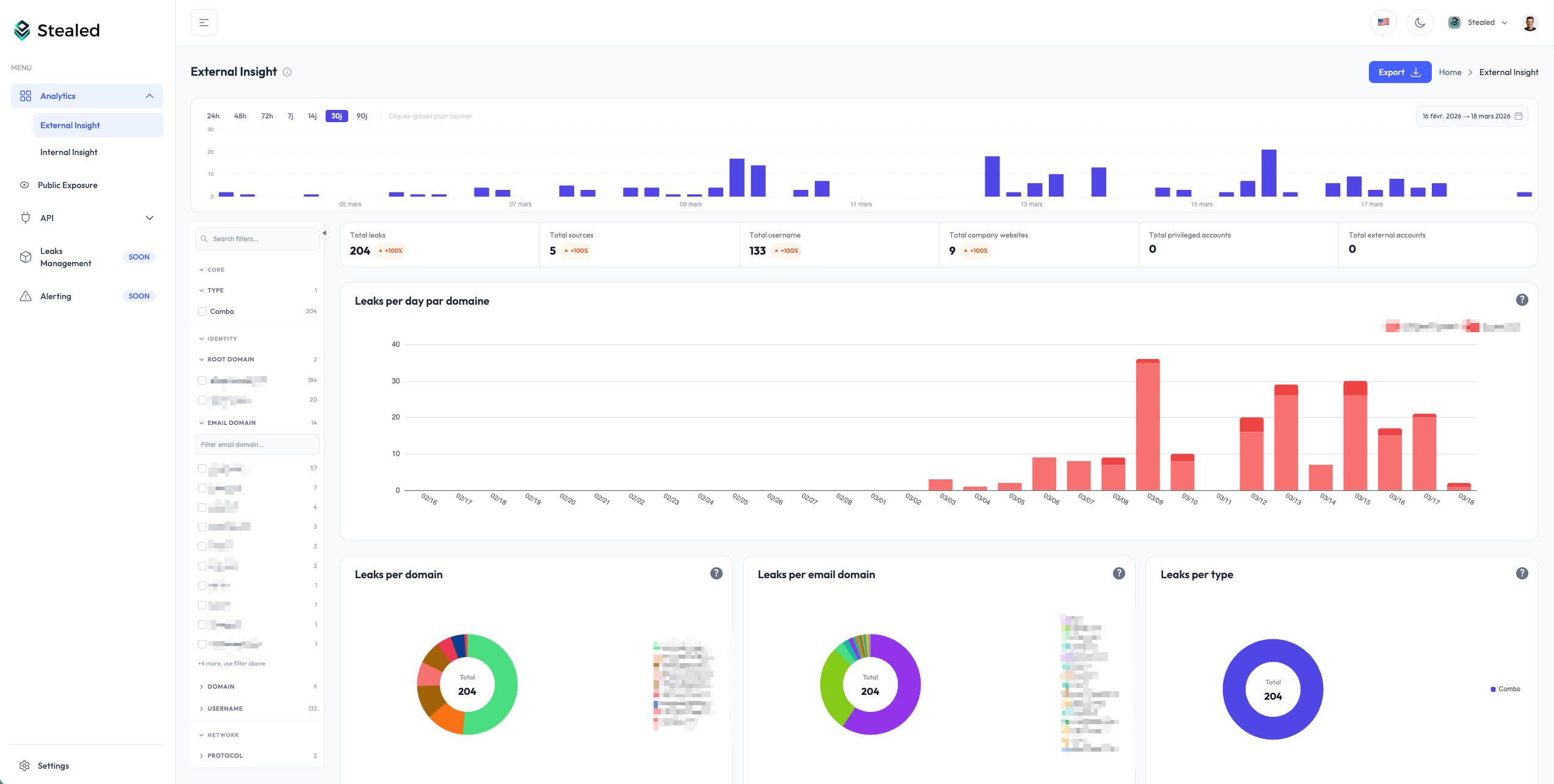
Faceted filters

Detailed leak view

The leak view has been completely redesigned.

Automatic grouping: identical leaks (same identifier, same hostname, same password) are merged into a single row with an occurrence counter. Expand a row to access the full detail: masked password, host, root domain, email domain, protocol.

Source history: click “Load sources” to see each individual detection with its date, type, and source file. You can trace the complete history of a leak, from its first appearance to the latest.

First Seen / Last Seen: every leak shows its first and last detection dates so you can quickly assess whether it is recent or persistent.
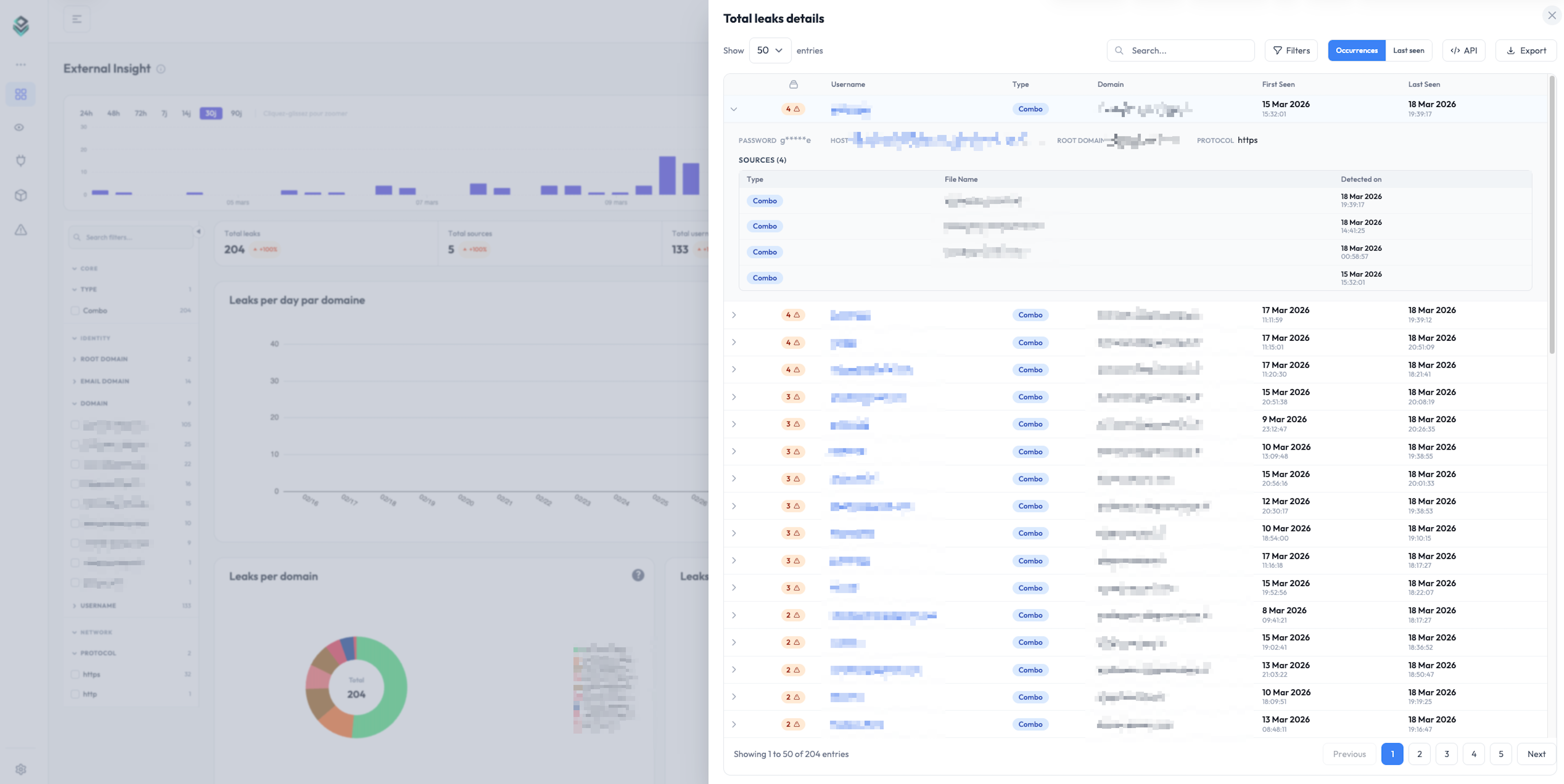
Detailed leak view

“New Leaks Since” filter

In detail tables, a “New Leaks Since” filter isolates only leaks that appeared after a given date.

Combined with the dashboard date range, this filter lets you, for example, browse the last 90 days but display only leaks new since 3 days ago.

It’s particularly useful for API integrations: by filtering leaks new since the last sync, you avoid reprocessing data you already have.
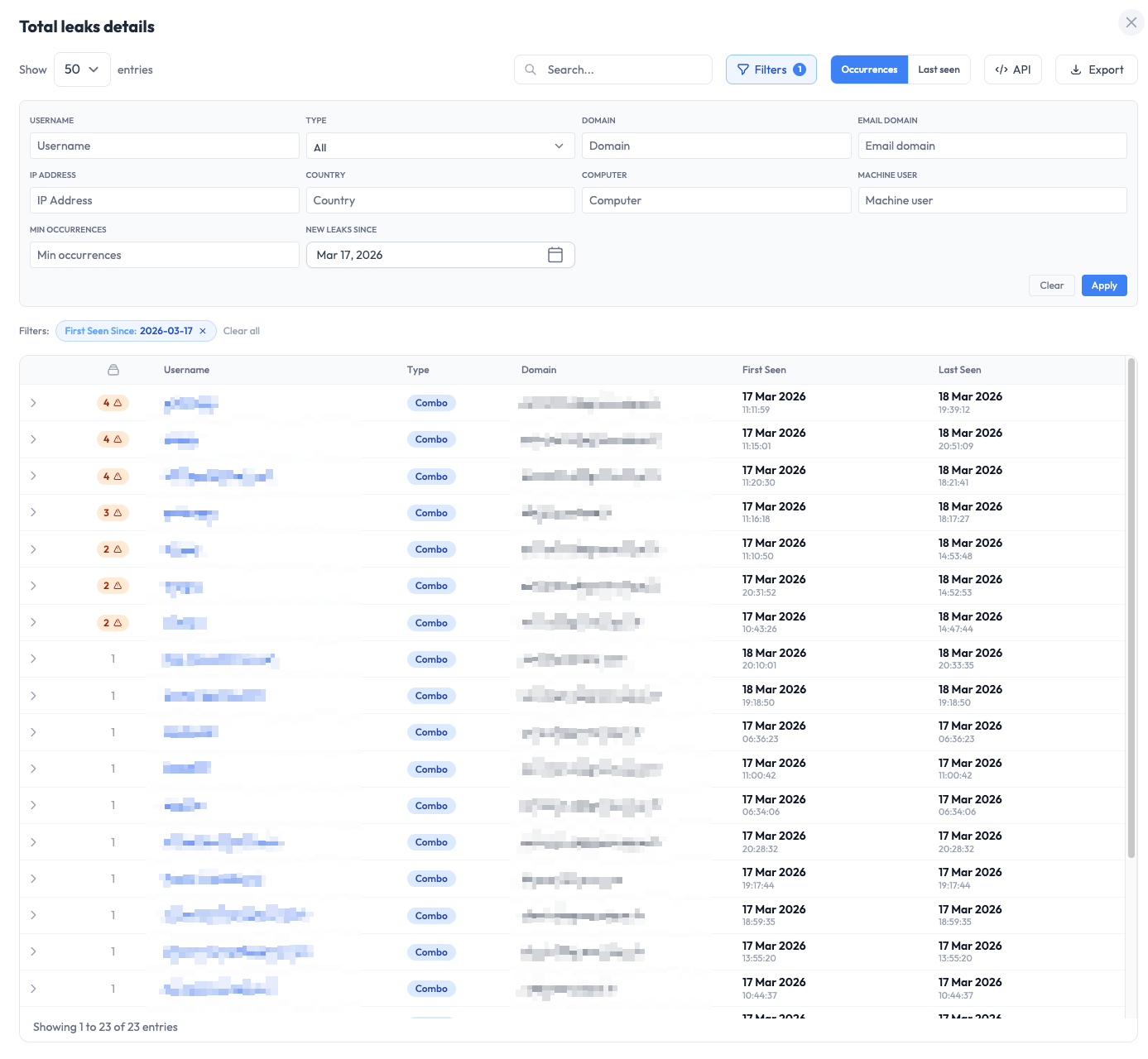
New Leaks Since filter

Automatic API call generation

From any detail table, click “API” to automatically generate the call code matching your current view.

All applied filters (domain, date, type, “New Leaks Since”…) are baked into the generated snippet, available in Bash, Python, and JavaScript. Just replace the API key and paste the code into your system.

The workflow: explore your data in the dashboard, refine with filters, then export the API request in one click to plug it into your internal tools.
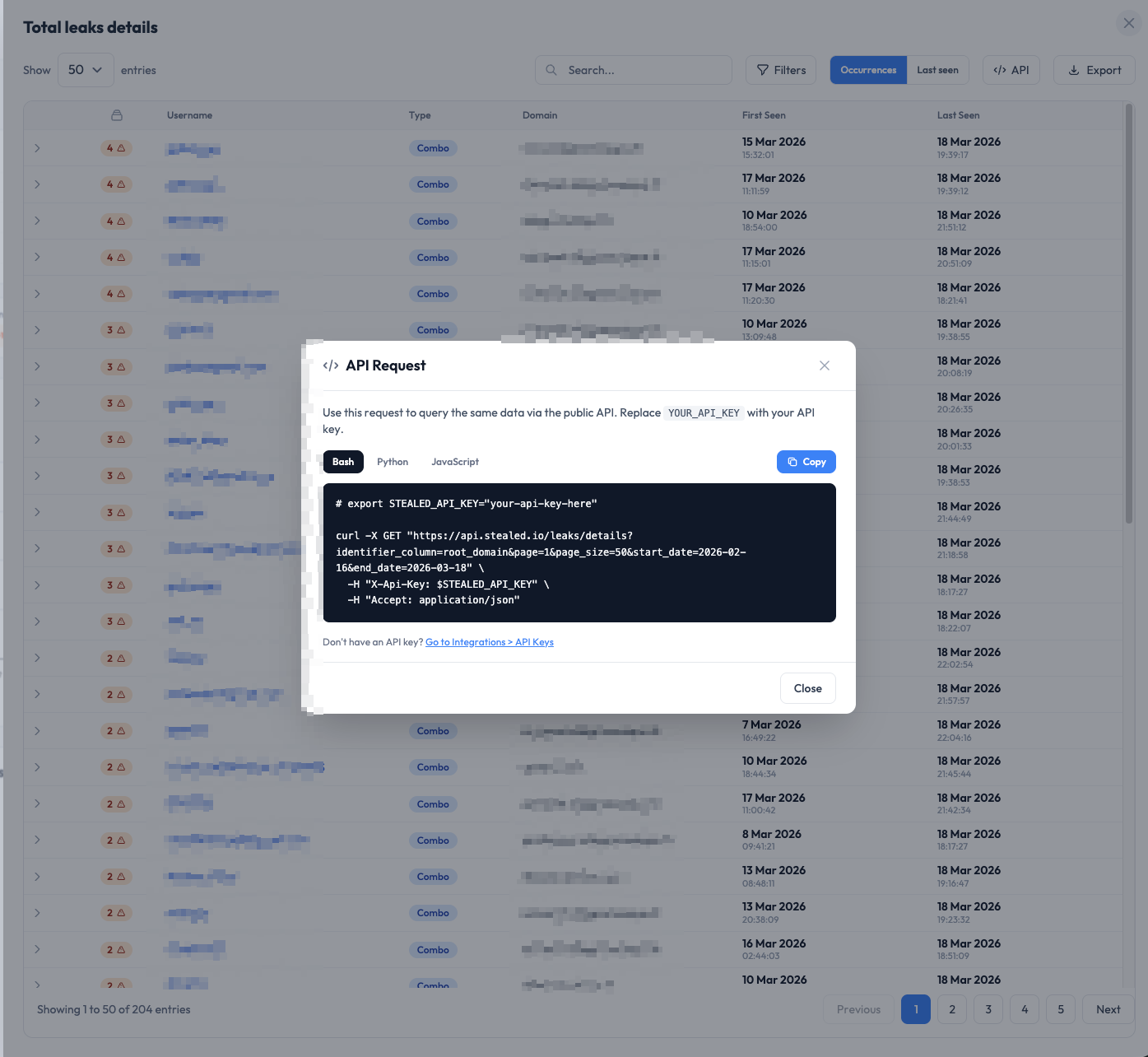
Automatic API call generation

Public Exposure: multi-domain scan

The Public Exposure page lets you look up exposure statistics for any domain, including ones you don’t own. No individual data is shown — only aggregated metrics.

  • Compare multiple domains side by side
  • Separate External view (internet-exposed assets) and Internal view (employee accounts)
  • Per-domain metrics: total leaks, sources, usernames, company websites
  • Breakdown by subdomain, leak type, stealer family, country
  • Adjustable timeframe: 30 days or 12 months
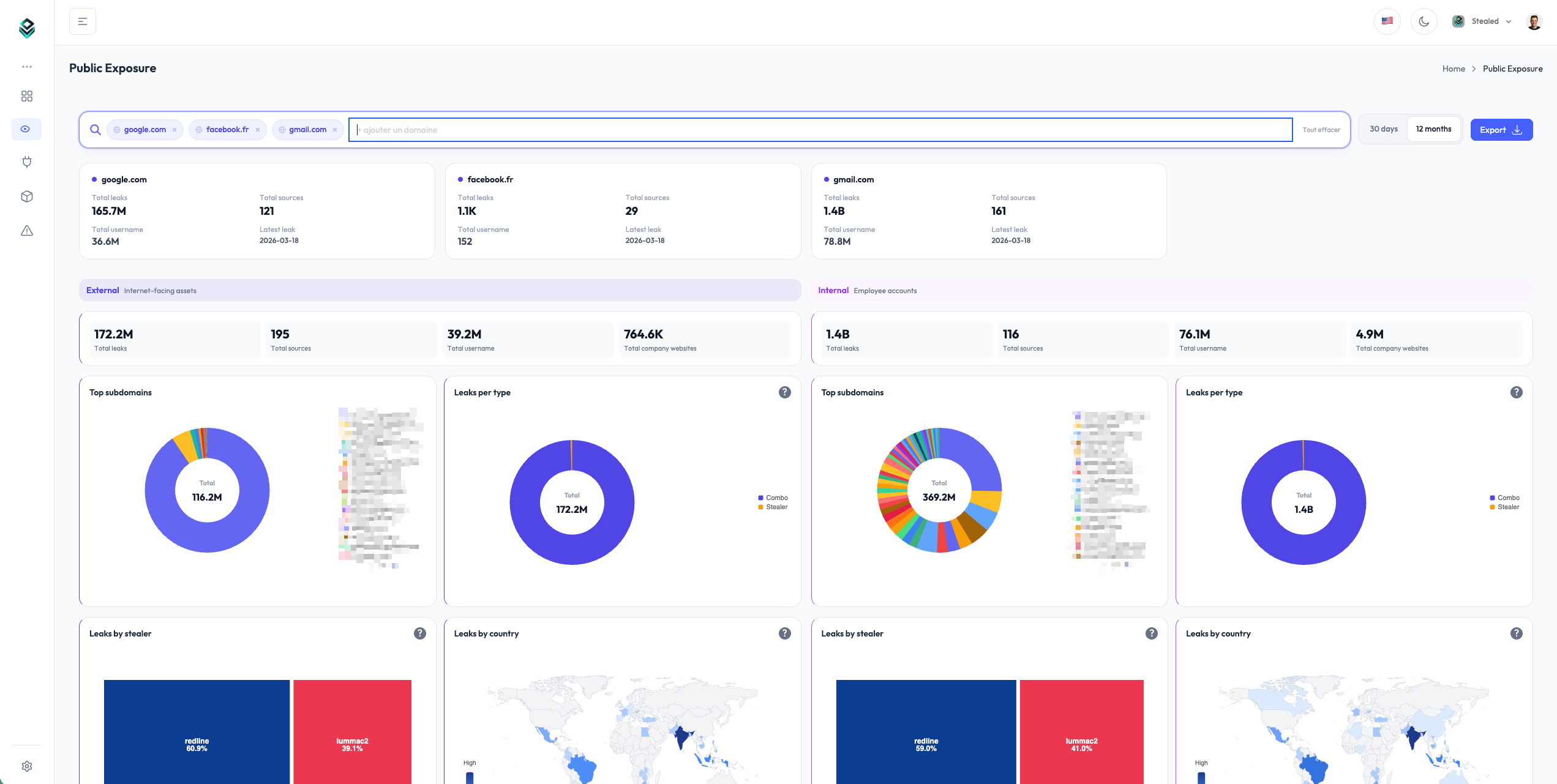
Public Exposure: multi-domain scan

New chart system

All charts have been rebuilt on a new visualization library for better readability and a more consistent interface.

  • World map of leaks by country with heatmap
  • Stealer family treemap
  • Ranked horizontal bars for Top-N (replaces pie charts)
  • Side panel to explore details without leaving the main view
  • Drill-down navigation: click an identifier to see all of its occurrences
  • Dark mode across every chart

New chart system

Performance

Load times have been completely reworked. Previously, the dashboard became unusable beyond a few tens of thousands of leaks. That is no longer the case: tables now use server-side pagination with built-in search and sort, and the dashboard stays smooth regardless of volume.

Data retention

Retention moves from 14 days to unlimited. You keep the entirety of your leak history with no data loss.

PDF export

The new charts export faithfully to PDF with automatic detection of which sections to include.